1
Custom Projector Enclosure
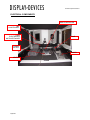
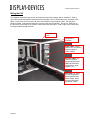
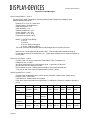
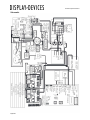
DDI Main Controller
The main controller sends control signals via a communication bus to the heater and A/C in order to
maintain the temperature within the enclosure. The temperature can be programmed by the user via the
temperature controller. The main controller accepts outside communication through ethernet, RS-232, or
USB. Switched power disables power to the projectors and additional components when programmed
internal enclosure cutoff temperature level is met. The main controller is used in both fan cooled and
heater-A/C enclosures.
ETHERNET
(OPTIONAL)
USB
COM
RS-232
CONTROL
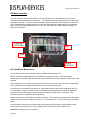
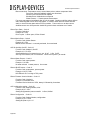
Air Conditioner Maintenance
Air Conditioned units must sit upright for 24 hours before powering up the unit.
DDI air conditioners are designed to be long lasting and maintenance free. Other than regular
maintenance as specified in the user manual, only a qualified technician should perform work to the unit if
required.
Upon powering up the unit the compressor will not activate for 5 minutes. Any time power is interrupted
to the enclosure the air conditioning compressor has a 5 minute warm up time.
If the enclosure is mounted at more than a 10° angle (forward tilt) you will need to readjust the angle of
the compressor. A sticker on the front of the compressor access panel shows the angle of adjustment.
Loosen the nut and then adjust the angle reading to the angle the enclosure is mounted at. This
information may not be applicable to all applications.
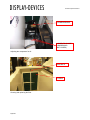
Inspect and clean the air filter after two weeks of operation. The frequency of cleaning will be dependent
upon the environment the enclosure is located in (i.e., dust, leaves, etc.). Filter media can be rinsed with
water.
In some cases it is necessary to provide a place other than the A/C housing for condensation to drain.
Use knockouts or provide your own in the location which works best for your installation site.
Caution! Keep fingers out of moving fans.
4/18/2011