1
•
•
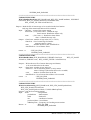
the writing is done from the left side to the right side (LTR ) and in the second way the
cursor is in at the right side and the writing is done from right to left (RTL)
Default - LTR
PRINTER_FORMAT=DOS or WINDOWS
If the ASCII of Hebrew characters is between 224 and 250 then the user should use
WINDOWS, but if it’s between 128 and 154 then the user should write DOS
Default - DOS
PRINTER_LINE=COMPRESSED or NONCOMPRESSED
If the user sets his printer to write in a compressed way, he should add this parameter
(COMPRESSED)
Default - NONCOMPRESSED
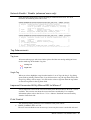
User Password
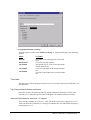
In the User Definition dialog, the password is displayed as asterisks (∗∗∗∗) when users
type password and when User entry is selected from the list. There is no need to retype
password each time when changing user definition as Groups or default layout.
Path: Design Authorization Users
Improved Wizcon Language Disk full Message
Wizcon language Alarms for Disk full can now be controlled. Two new tuning parameters
can be used to set the LOW and HIGH limits for the percentage of disk available. In
addition, the percentage is now of type float (was integer) and this gives better control.
The parameters are to set in the Wiztune.dat file are:
WIL_DISK_LOW_LIMIT = xx.xx (Default is 75)
WIL_DISK_HIGH_LIMIT = xx.xx (Default is 97)
Both values are limited to 0 up to 100 and if LOW is bigger than HIGH it will be set to
HIGH.
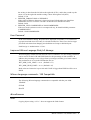
Wizcon Language commands - Y2K Compatible
The following Wizcon language commands are compatible with the year 2000:
YEAROF
$YEAR
$DATE
Miscellaneous
Undo
Copying objects using <Ctrl C> does not support the Undo feature.
Wizcon 7 Version 7.5, Release Notes 21