1
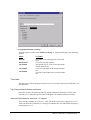
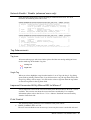
To regulate automatic scrolling:
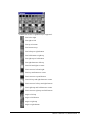
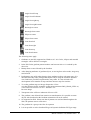
From the Options menu, select Online scroll step. A popup menu displays the following
options:
Select
To enable
No step
one small bar at a time appears on the time
scale.
A scroll of one full window.
The default step. A scroll of one-half of the
current window size.
A scroll of one-third of the current window
size.
A scroll of one-fourth of the current window
size.
Full window
1/2 window
1/3 window
1/4 window
Time label
The time label in the trend applet at the browser is no longer in the format HH:mm:ss:sss
but HH:mm:ss.
Tag Communication Status Indication
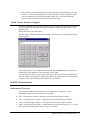
In Picture Viewer, all numerical and text display elements in the Picture Viewer show
asterisks (****) when the tag associated with them is in communication error mode.
Improved Performance and Java 1.1 Support
This version is making use of Java 1.1 APIs. The Web browser must support Java 1.1 to
work with Wizcon for Internet 2.0. Netscape Communicator 4.06 and Internet Explorer 4,
both support Java 1.1.
Wizcon 7 Version 7.5, Release Notes 3