1
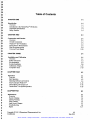
Preface
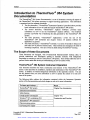
ThermoFluor® Instrument Operations
Continued from previous nage.
To learn more about
Read
Safety instructions
Chapter Three,
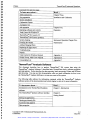
Installation and Calibration
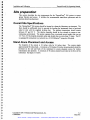
Site preparation
System installation
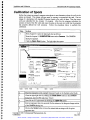
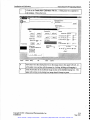
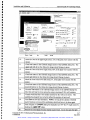
Calibration of spots
Acceptance test
t
t
t
t
t
t
t
t
t
t
t
t
t
t
t
t
Safe operation
Chapter Four,
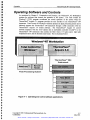
Operating software and controls
Total Control for Windows
Operation
TherrnoFluor® 384 Acquire 3.0
ThermoFluor® 384 System operation
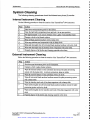
System cleaning
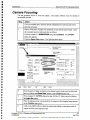
Focusing the camera
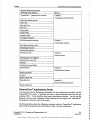
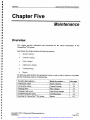
Instrument Operation Chapter Five,
Maintenance
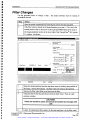
Adding/Changing filters
Replacing the light source
Troubleshooting
Repairs
Total Control for Windows Manual
Hudson Group, Plate Crane Manual
Appendix A
Consumables List
Appendix C
Appendix B
ThermoFluor® Analysis Software
This document describes how to analyze ThermoFluor® 384 system data using the
ThermoFluor® Analysis Software. It describes basic ThermoFluor theory, software navigation
and data analysis. It also describes the data exporting, batch processing of data, and DB sheet
data browsing. You can use this documentation when you need information on how to use
the ThermoFluor® Analysis Software or to train new users of the system.
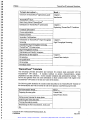
The following table outlines the information contained within the ThermoFluor® Analysis
Software section of the documentation and which chapter to refer to for more information.
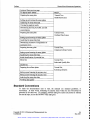
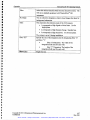
To learn more about ...
Read
Introduction to the ThermoFluor® analysis
software
Chapter 1, Introduction
The ThermoFluor® analysis software interface
Chapter 2,
Getting Started
Starting the application
Opening an intensity file
Automated data analysis
Plate properties
Copyright © 2001 3-Dimensional Pharmaceuticals, Inc.
Confidential
Artisan Scientific - Quality Instrumentation ... Guaranteed | (888) 88-SOURCE | www.artisan-scientific.com
0-3
May 2001