1
Operation
ThermoFlour® 384 Operating Manual
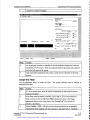
Experimental Parameters
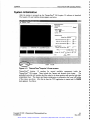
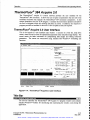
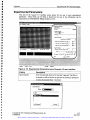
This area of the Acquire 3.0 interface screen allows for the user to enter experimental
parameters. These fields can be filled in directly by the user or the infonnation can be
relayed from the Thermo Fluor Setup Screen in TCW.
I3ElP's ThermoFluor TEAcqúiieversioa
Eile
Subsystems
i
Images
erimentaI Parameters
Data Directory
Orowse
:\Data\
Sample Information
Plate ID:
Comment:
Heang Parameters
Heabng Mode
lniaI, Final Temperatures
Up/Doeai
C)
I°
40
Temp. Incr., Low Temp ('C) j2
High, Lowlemp Holds (sec)
13°
isa
leo
05
Il
Image Parameters
l
Scale Bitmap
(04S6,01B5)
=76
IBoe=686,460
Exposure Time (sec). #Reps.
navll=o
Filters:
Gain:
SC Image
Error
Heater
Camera
Error
1117/00
_:J
j
1500 + 30 nm
I'Boe
Run
I
<,Y)
j'
jj"
IblError
8:45AM
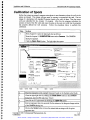
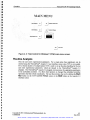
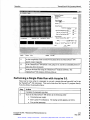
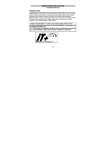
Figure 4-15: Experimental Parameters area of Acquire 3.0 user interface.
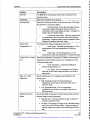
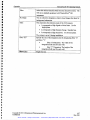
Field(s)
Description
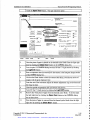
Data Directory
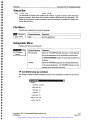
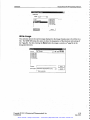
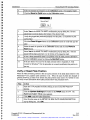
Enter the path and directory for the data *.psq and *.int files to
be stored or click on browse to open the Set Directory dialog box
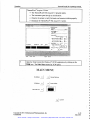
to select the desired folder. See below
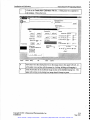
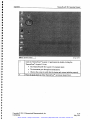
3 Set Data Directo
Data Directory
Drive:
Set Directory
Copyright © 2001 3-Dimensional Pharmaceuticals, Inc.
Confidential
Cancel
j
4-25
May 2001
Artisan Scientific - Quality Instrumentation ... Guaranteed | (888) 88-SOURCE | www.artisan-scientific.com