1
SAS Global Forum 2009
Systems Architecture
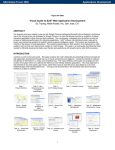
figure 7 – Drag and drop effectively issues a copy command
The ability to graphically organize information such as files into a hierarchy tree view is a crucial function for file
management. The use of plus and minus signs in this example interface allows users to go view and navigate
through large sets of data files. When this interface is combined with the ability to drag and drop objects within the
tree view, it adds an interactive experience that is common on desktop applications but has previously eluded web
applications. This is no longer a limitation and can be deployed on Cloud Computing.
figure 8 – Interactive spreadsheet view of any data view
The spreadsheet is a “killer app” when it was first introduced on desktop graphical user interfaces. It allowed users to
visually see and interact with their data while performing calculations among the cells interactively. These capabilities
are not limited to desktop GUIs but have extended to Cloud Computing as the tools mature. This example illustrates
how variables and attributes are listed in a spreadsheet view allowing users to scroll through, stretch and adjust cells,
interactively modifying values and interactively working with individual or groups of cells.
The use of interactive interfaces such as the spreadsheet view, tree view and interactive popup can provide a very
rich user experience. This is different than desktop applications however in that there is no additional software
8