1
SELECTING A PARAMETER
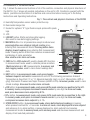
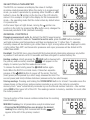
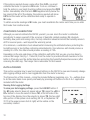
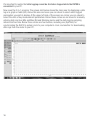
The RH700 can measure and display the value of multiple
moisture-related parameters. When the meter is in measurement
mode, you select a parameter by pressing either the UP> or <DN
button to move the pointer on the top line of the LCD directly
above it. For example, at right is the display for RH measurement
mode—the operating mode that the meter enters by default when
it is powered on.
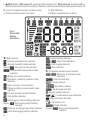
As the lower figure at right shows, moving the pointer one
position to the right (by pressing the UP> button once) changes the
measured parameter to AH (absolute humidity).
GENERAL CONTROLS
Changing measurement units. By default, the RH700 uses Imperial
units for all parametric readouts. To switch to metric units, press the UNIT button. Ambient,
wet bulb and dew point temperatures will then be displayed as °C rather than °F; absolute
humidity values will be stated in g/m3 rather than in mg/L; mixing ratios will be displayed in units
of g/kg rather than GPP; and barometric pressures and vapor pressures will be stated in KPa
rather than mBAR.
Backlight. The RH700 has a green backlight that automatically illuminates whenever any button
is pressed. It will remain on for 30 seconds and then extinguish to extend battery life.
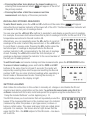
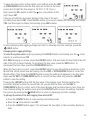
Holding readings. Briefly pressing the HOLD button freezes both
the primary and secondary readouts.
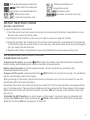
will appear on the
display to remind you that the readouts are frozen.
To release the hold, briefly press the HOLD button again.
Note: When the RH700 is in Hold mode, it takes two separate
presses of the HOLD button to power off the meter. The first
(brief) press (accompanied by a short beep) releases the hold. The
second press (and hold) initiates shutdown (announced by two short beeps).
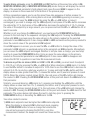
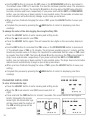
Storing readings. Pressing and holding the STORE/ENTER button for at least 2 seconds saves the
values shown on the primary and secondary readouts as a pair in the meter’s nonvolatile
memory. Each “save” automatically increases by one the Record number indicator—the number
above MEM at the lower left of the LCD. The readings remain in memory, available for recall, after
the meter powers off.
The next section of this manual contains instructions for recalling
saved readings.
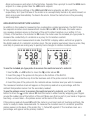
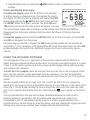
MIN/MAX tracking. For all parameters except moisture level:
• Pressing the MAX/MIN button once displays the highest
reading since entering that measurement mode.
will
appear at the left of the primary readout.
/HOLD b
out of viewin
Wood m
8