1
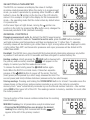
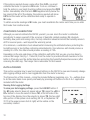
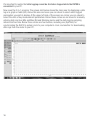
To show the time portion of the system clock setting, press the UNIT
or STORE/ENTER button with the date value on-screen. In the lower
screen shot at right, the time shown is 19:18:12 (7:18:12 p.m.)
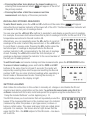
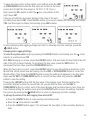
Next, press the UP> button to shift the icon one position to the
right, above INT.
Doing so will shift the secondary display to the value of the auto
recording time interval INT. Press the UP> button once more to display the recording time length
TML, and then again to display the working group JOB number.
To stop displaying data logging settings and return to showing real-time readings, press the
HOLD button.
Changing Data Logging Settings
To reset the system clock, begin by pressing the LOG/SET button and making sure the mode
selector is positioned over TM.
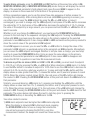
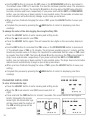
With DATA showing on-screen, press the LOG/SET button. This will cause the Year field at the left
side of the LCD to begin flashing. To increment the Year value, press the UNIT button. To
decrement the Year value, press the STORE/ENTER button.
When the Year value is correct, press the LOG/SET button to save the setting and advance to the
Month field, which should now be flashing. Use the UNIT or STORE/ENTER button to correct the
Month setting. Then press the LOG/SET button to save the setting and advance to the Day field.
Again use the UNIT or STORE/ENTER button to correct the Day value and press the LOG/SET
button to save the setting.
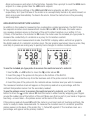
Pressing the LOG/SET button with the Day value of the system clock flashing switches the
secondary display to show the current time. As you did with the Date, use the UNIT or
STORE/ENTER button to correct each of the Hour, Minutes and Seconds values in turn. Once you
have finished setting the system clock, press the LOG/SET button to save the setting. Complete
the process by pressing the HOLD button to return to displaying real-time readings.
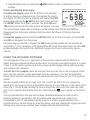
To change the value of the data logging time interval INT:
● Press the LOG/SET button to enter viewing and setting mode
● Move the mode selector over INT.
● Press the LOG/SET button again. This will cause the two digits on the secondary display to
flash.
13