1
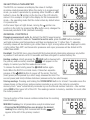
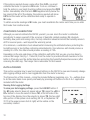
● Use the UNIT button to increase the INT value or the STORE/ENTER button to decrement it.
The default value of INT is 15 seconds. It is also the minimum possible value. The maximum
possible value is 24 hours. The terms S, M and H on the line above the INT value stand for
seconds, minutes and hours, respectively. If you press and hold the UNIT or STORE/ENTER
button, you can ramp up or down quickly to any possible value. The seconds, minutes and
hours indicators will automatically change as you ramp up and down.
● When you have finished changing the value of INT, press the LOG/SET button to save your
setting.
● Complete the process by pressing the HOLD button to return to displaying real-time
readings.
To change the value of the data logging time length setting TML:
● Press the LOG/SET button to enter viewing and setting mode.
● Move the mode selector over TML.
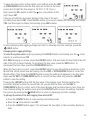
● Press the LOG/SET button again. This will cause the two digits on the secondary display to
flash.
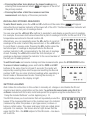
● Use the UNIT button to increment the TML value or the STORE/ENTER button to decrement
it. The default value of TML is 15 minutes. The minimum possible value is 1 minute, and the
maximum possible value is 30 days. It’s important to understand that the value of TML must
be greater than that of INT. The terms D, H and M on the line above the TML value stand for
days, hours and minutes, respectively. If you press and hold the UNIT or STORE/ENTER
button, you can ramp up or down quickly to any possible value. The days, hours and minutes
indicators will automatically change as you ramp up and down.
● When you have finished changing the value of TML, press the LOG/SET button to save your
setting.
● Complete the process by pressing the HOLD button to return to displaying real-time
readings.
CLEARING DATA LOGS
To clear all stored data logs:
● Press the LOG/SET button to enter viewing and setting mode.
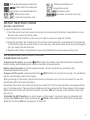
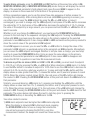
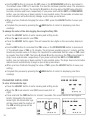
● Move the mode selector over CLR (see screen shot at
right).
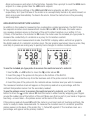
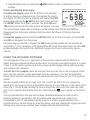
● Press and hold the ZERO button for at least 2 seconds. The screen below left will appear
briefly, followed by the screen
below right. All stored data logs
will be erased and the number of
the JOB working group will be
reset to 01.
14