1
Chapter 12
Nucleotide analyses
Contents
12.1 Convert DNA to RNA . . . . . . . . . . . . . . . . . . . . . . . . . . . . . . . 120
12.2 Convert RNA to DNA . . . . . . . . . . . . . . . . . . . . . . . . . . . . . . . 121
12.3 Reverse complements of sequences . . . . . . . . . . . . . . . . . . . . . . . 122
12.4 Translation of DNA or RNA to protein . . . . . . . . . . . . . . . . . . . . . . 123
12.5 Find open reading frames . . . . . . . . . . . . . . . . . . . . . . . . . . . . . 124
12.5.1
Open reading frame parameters . . . . . . . . . . . . . . . . . . . . . . 124
CLC Sequence Viewer offers different kinds of sequence analyses, which only apply to DNA and
RNA.
12.1
Convert DNA to RNA
CLC Sequence Viewer lets you convert a DNA sequence into RNA, substituting the T residues
(Thymine) for U residues (Urasil):
select a DNA sequence in the Navigation Area | Toolbox in the Menu Bar | Nucleotide
Analyses ( ) | Convert DNA to RNA ( )
or right-click a sequence in Navigation Area | Toolbox | Nucleotide Analyses (
Convert DNA to RNA ( )
)|
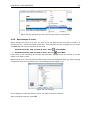
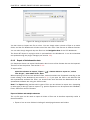
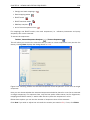
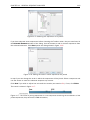
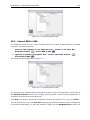
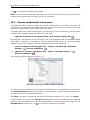
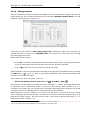
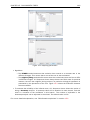
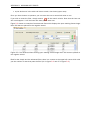
This opens the dialog displayed in figure 12.1:
If a sequence was selected before choosing the Toolbox action, this sequence is now listed in
the Selected Elements window of the dialog. Use the arrows to add or remove sequences or
sequence lists from the selected elements.
Click Next if you wish to adjust how to handle the results (see section 8.1). If not, click Finish.
Note! You can select multiple DNA sequences and sequence lists at a time. If the sequence list
contains RNA sequences as well, they will not be converted.
120