1
69
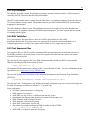
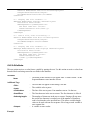
<Title>
–
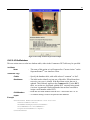
The text that will appear on the dialog‘s title bar.
<Image>
–
An image to display.
<MessageText>
–
The text that will appear in the dialog box. Either a simple text or
HTML formatted text can be used that is contained within a
―<![CDATA[…]]>‖ tag construct.
A variable to store results.
<Output>
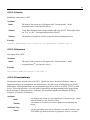
Example
–
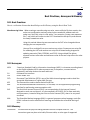
<ScanBarcode Name="Scan Barcode to Start Test" OkCancel="Yes"
Timeout="30">
<Title>Scan Barcode</Title>
<Image>images\\example.jpg</Image>
<MessageText><![CDATA[<html><font size="+1" face="Verdana">
<br>Verify that all cables are connected and power on the
unit.<br>
<br>
<b>Scan the barcode to proceed.<br></b></html.]]>
</MessageText>
<Output>SerialNumber</Output>
</ScanBarcode>
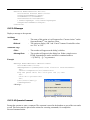
5.13.2.15 ScanLabel
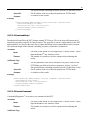
Receive input from a barcode reader and store the results in a variable. Use this action to retrieve
barcode text to parse using the GetValue action or store in the database using the PutDatabase action.
Attributes
Name
OkCancel
–
–
The name of this action as it will appear after ―Current Action:‖ on the
SequenceRunnerTM user interface screen.
The option to display ―OK‖ and ―Cancel‖ buttons. Permissible values
are ―yes‖ or ―no‖. When ―yes‖ is chosen, the operator is forced to select
a button to continue the test sequence. When ―no‖ is chosen, the dialog
disappears after <LineCount> number of lines are read.
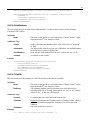
Additional Tags
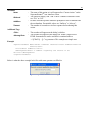
<Title>
–
The text that will appear on the dialog‘s title bar.
<MessageText>
–
<LineCount>
–
<Output>
–
The text that will appear in the dialog box. Use simple text or HTML
formatted text that is contained within a ―<![CDATA[…]]>‖ tag
construct.
The number of text lines to read from the barcode label. When the line
count is reached, no more input is stored in the variable, and the dialog
is closed. This variable allows the test sequence to continue
automatically once a barcode is scanned, instead of the operator
selecting the OK button.
A variable to store results.
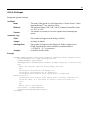
Example
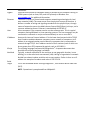
<ScanLabel Name="Enter Serial Number" OkCancel="no">