1
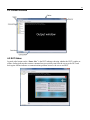
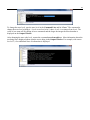
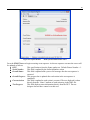
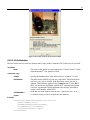
50 Figure 5.3. SequenceRunnerTM – With SystemCommand.xml Loaded Press the START button to begin executing a test sequence. As the test sequence executes the screen will be updated as follows: DUT: This specification selects the fixture under test. Default Fixture Number = 1. Serial Number: This field is updated by the SetSerialNumber action. Overall Status: This field is updated with a pass or fail message after the test sequence is executed. Overall Progress: This progress bar is updated after each action in the test sequence is completed. Current Action: This field is updated as each action is executed. The text displayed is taken directly from the ―Name‖ attribute of each action tag in the XML file. Test Progress: This field displays status information directly from the DUT. The test designer does not have control over this text.