1
2
Contents
1 Introduction to Kozio® Host Tools Software ..............................................................................................5
1.1 Quick Start Instructions .......................................................................................................................6
2 Installation ...................................................................................................................................................7
2.1 DUT Installation Instructions ...............................................................................................................7
2.2 Host Tool Installation Instructions for Windows .................................................................................7
2.3 Windows Firewall Instructions ..........................................................................................................13
2.4 Updating a Previous Version of the Host Tools ................................................................................15
3 Communications Setup – Host Computer to DUT ...................................................................................19
3.1 kDiagnostics® Remote Communications ...........................................................................................19
3.1.1 Displaying Remote Communications Variables .........................................................................20
3.1.2 Enabling kDiagnostics® Remote Communications.....................................................................20
3.1.3 Establishing Ethernet Communications to the DUT ...................................................................21
3.2 Establishing an Optional SLIP Communications to the DUT ...........................................................21
3.2.1 Creating a SLIP Connection under Windows XP .......................................................................21
3.2.2 SLIP — Creating a New Network Connection ...........................................................................21
3.2.3 SLIP — Create a New Direct Connection ..................................................................................22
3.2.4 SLIP — Setting the Kozio Target Properties ..............................................................................22
3.2.5 SLIP — Establishing a ―Kozio Target‖ Network Connection ....................................................22
3.2.6 SLIP — Restarting the Windows SLIP Connection ...................................................................23
3.2.7 SLIP — Verifying the Windows SLIP Connection ....................................................................23
3.3 Kozio Properties Files ........................................................................................................................24
3.3.1 KozioServer Properties File Variables ........................................................................................26
3.3.2 SequenceRunner Properties File Variables .................................................................................26
3.3.3 Restarting KozioServerTM ...........................................................................................................29
4 ValidationAssistant™ ...............................................................................................................................30
4.1 Getting Started ...................................................................................................................................30
4.1.1 Start-Up Banner ..........................................................................................................................30
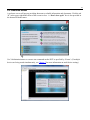
4.1.2 Welcome Screen..........................................................................................................................31
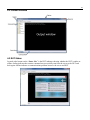
4.1.3 Screen Overview .........................................................................................................................32
4.2 DUT Status .........................................................................................................................................32
4.3 Validating Setup .................................................................................................................................33
4.4 Menu Bar............................................................................................................................................33
4.4.1 File Menu ....................................................................................................................................33
4.4.1.1 Log DUT Output ..................................................................................................................33
4.4.1.2 Log Commands ....................................................................................................................34
4.4.1.3 Load Command Tree............................................................................................................34
4.4.1.4 Exit .......................................................................................................................................34
4.4.2 Edit Menu ....................................................................................................................................34
4.4.2.1 Clear Window ......................................................................................................................34
4.4.3 DUT Menu ..................................................................................................................................34
4.4.3.1 Stop DUT Command............................................................................................................34
4.4.3.2 Download File to DUT ........................................................................................................35
4.4.3.3 Execute Script ......................................................................................................................36
4.4.4 Help Menu...................................................................................................................................37
4.5 Status Line Indicators.........................................................................................................................37
4.6 Commands .........................................................................................................................................37
4.6.1 Executing Commands .................................................................................................................38
4.7 Command Tree ...................................................................................................................................38