1
UM1080
7.2.1
Full LCD user interface
Welcome message
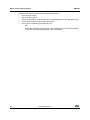
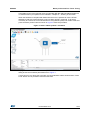
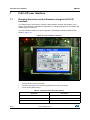
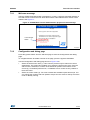
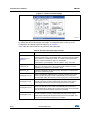
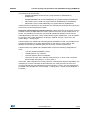
After the STM32 evaluation board is powered on or reset, a welcome message displays on
the LCD screen to inform the user about the firmware code loaded and the version of the
release. See Figure 17.
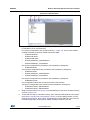
Figure 17. STM32 Motor Control demonstration project welcome message
670)2&6'.
+HOSSDJH
8VHWKHMR\VWLFNWRZRUNZLWKWKHDSSOLFDWLRQ
/&'PDQDJHU
YHUVLRQ
83'2:1WRPRYHEHWZHHQHQDEOHGFRQWUROV
/()75,*7+WRPRYHEHWZHHQDSSOLFDWLRQSDJHV
6(/WRLQWHUDFWZLWKWKHVHOHFWHG
FRQWURO
/&'PDQDJHU
YHU[[[
&RS\ULJKW5670LFURHOHFWURQLFV
069
7.2.2
Configuration and debug page
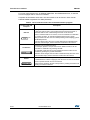
Press the joystick RIGHT from the welcome page to enter the Configuration and debug
page.
To navigate between focusable controls on the page, press the joystick UP/DOWN.
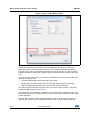
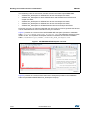
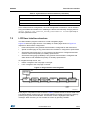
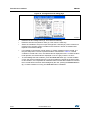
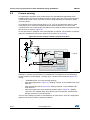
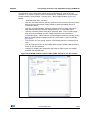
Use the Configuration and debug page shown in Figure 18 to:
•
Select the active motor drive (1). This control is present only for dual motor control
applications. This combo-box enables you to select the active motor drive. Once the
active motor is selected, it is shown in the status bar present at the bottom of the
screen (2). Commands performed on, or feedback from a control are only relative to
the active motor.
•
Select the control mode (3). Two control modes are available: speed and torque. You
can change the control mode from speed to torque and vice versa on-the-fly even if the
motor is already running.
DocID018802 Rev 6
31/53
52