1
USING A MEMORY CARD
USING A MEMORY CARD
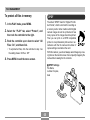
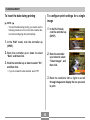
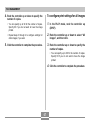
You can expand the storage capabilities of your camera by
using a commercially available memory card (SD memory
card or MultiMedia Card). You can also copy files from builtin flash memory to a memory card and from a memory card
to flash memory.
IMPORTANT!
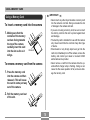
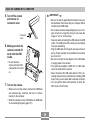
• Make sure you turn off the camera before inserting or
removing a memory card.
• Be sure to orient the card correctly when inserting it.
Never try to force a memory card into the slot when
you feel resistance.
• See the instructions that come with the memory card
for information about how to use it.
• Though the camera also supports use of an MMC
(MultiMediaCard) in place of an SD memory card, the
data processing speed in the case of an MMC is much
slower than that for an SD memory card. Because of
this, we recommend that you choose an SD memory
card whenever possible.
• SD memory cards have a write protect switch, which
you can use to protect against accidental deletion of
image data. Note, however, if you write protect an SD
memory card, you must remove write protection
whenever you want to record to it, format it, or delete
any of its files.
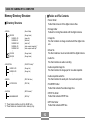
• Normally, files are stored in built-in flash memory. When
you insert a memory card, however, the camera automatically stores files to the card.
• Note that you cannot save files to built-in memory while a
memory card is installed in the camera.
74