1
FILE MANAGEMENT
To protect all files in memory
DPOF
The letters “DPOF” stand for “Digital Print Order Format”, which is a format for recording on
a memory card or other medium which digital
camera images should be printed and how
many copies of the image should be printed.
Then you can print on a DPOF-compatible
printer or at a professional print service in accordance with the file name and number of
copies settings recorded on the card.
With this camera, you should always select images by viewing them on the monitor screen. Do not specify images by file
name without viewing the file contents.
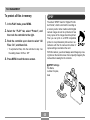
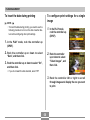
1. In the PLAY mode, press MENU.
2. Select the “PLAY” tab, select “Protect”, and
then rock the controller to the right.
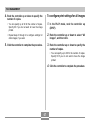
3. Rock the controller up or down to select “All
Files : On”, and then click.
• To unprotect all files, click the controller in step 3 so
the setting shows “All Files : Off.”
4. Press MENU to exit the menu screen.
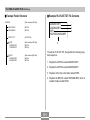
■ DPOF Settings
File Name,
number of copies,
date
65