1
USING A MEMORY CARD
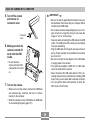
4. Rock the controller up or down to select “Builtin
To copy a file from a memory card to
built-in memory
Card”, and then click.
• This starts the copy operation and displays the message “Busy... Please wait...”
1. Perform steps 1 through 3 of the procedure un-
• After the copy operation is complete, the monitor
screen shows the last file in the folder.
der “To copy all the files in built-in memory to a
memory card.”
2. Rock the controller up or down to select “Card
Built-in”, and then click.
3. Rock the controller left or right to select the file
you want to copy.
4. Rock the controller up or down to select
“Copy”, and then click.
• This starts the copy operation and displays the message “Busy... Please wait...”
• The file reappears on the monitor screen after the
copy operation is complete.
78