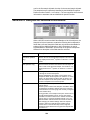
1
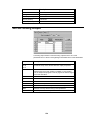
Item
Description
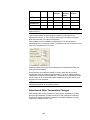
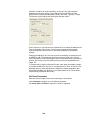
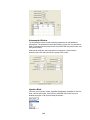
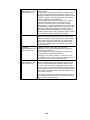
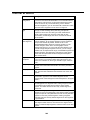
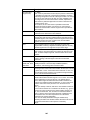
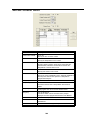
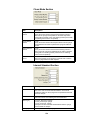
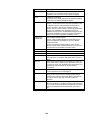
Low Offset
(Low Edge Offset)
The default value is 0; -0.5 to 0.5 m/z
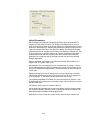
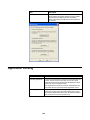
Click Customize to open. The Low Edge Offset is the mass offset to
optimize the ejection of the mass just below the precursor ion mass.
Low Edge Offset affects the isolation window on the low mass side
of the precursor ion. Increasing the mass offset increases the
isolation window on the low mass side of the precursor ion.
Decreasing the offset decreases the window on the low mass side.
Adjust the offset to minimize the amplitude of the adjacent masses
below the precursor ion. Initially, adjust in 0.2 m/z increments.
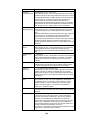
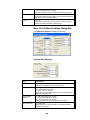
High Offset
The default value is 0; -0.5 to 0.5 m/z
(High Edge Offset) Click Customize to open. The High Edge Offset is the mass offset
to optimize the ejection of the mass just above the precursor ion
mass.
High Edge Offset affects the isolation window on the high mass side
of the precursor ion. Increasing the mass offset increases the
isolation window on the high mass side of the precursor ion.
Decreasing the offset decreases the window on the high mass side.
The offset should be adjusted to minimize the amplitude of the
adjacent masses below the precursor ion. Initially, adjust in 0.2 m/z
increments
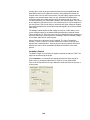
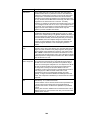
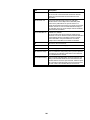
High Mass
Ejection
0 – 59.7 volts
Click Customize to open. The High Mass Ejection is the amplitude
of the broadband waveform used to eject masses above the
isolated precursor ion. The default High Mass Ejection value is 35
volts.
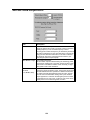
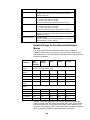
Excitation Time
(msec)
0 – 1000 msec
Click Customize to open. The Excitation Time is the time allotted for
collision-induced dissociation (CID) by ion excitation. The default
excitation time is 20 msec for both resonant and non-resonant
excitation.
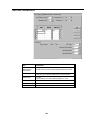
Modulate RF
Click Customize to open. It specifies if the RF storage field is
modulated during resonant CID. This modulation greatly reduces
any effect of changing secular frequency with concentration.
Number of
Frequencies
1 – 119 frequencies (odd numbers only)
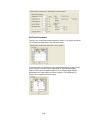
Click Customize to open. It is the number of frequencies h the CID
excitation waveform is applied. The default value is 1 frequency
applied at the end caps. A value of 3 generates three frequencies:
the resonance frequency and frequencies 500 Hz above and below
that frequency.
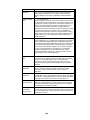
CID Frequency
Offset
-10 to +10 kHz
Click Customize to open. For certain applications, offsetting the
dissociation frequency is necessary. The CID frequency can be
adjusted between +/- 10 kHz. CID frequency offset can only be
applied to a single frequency. If the number of frequencies is
greater than 1, this field is hidden.
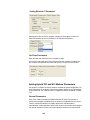
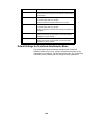
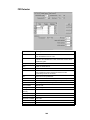
Defaults
Use the Defaults button to set the parameters of a method segment
to the default values. Generally, any user-modified mass values are
preserved.
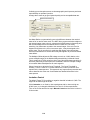
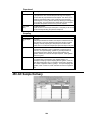
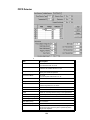
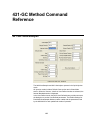
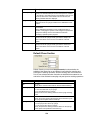
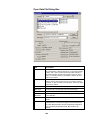
Target Factor (%)
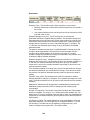
Available in SIS Scan Type in Customize mode. The Target factor
is also known as Ion Time Factor. When a scan is performed in
Auto mode, the prescan is followed by a scan of each segment
needed to cover the Mass range designated to the left of the
segment table. The actual Ionization Time for each segment is the
AGC Ion Time multiplied by the percentage in the Target Factor
field. If needed, adjust the Target Factor for particular segments to
increase or decrease the abundance of key ions.
For SIS, the Ion Time Factor is specified for fixed ionization and the
Target Factor is specified for AGC ionization.
249