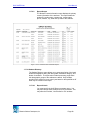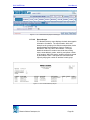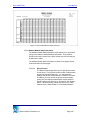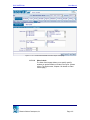
1
DISCOVERY.Net
I.
Contents
1
DEMOGRAPHICS
1.1
1.2
1.3
1.4
1.5
1.6
1.7
1.8
1.9
1.10
1.11
1.12
1.13
1.14
1.15
1.16
1.17
1.18
1
User Manual
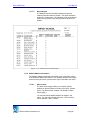
Search………………………………………………………………… 2
Primary Info….……………………………………………………….. 6
Additional Info………..………………………………………………. 15
Contacts…………………………………………………………….… 23
Address List…………………………………………………………... 35
Phone List…………………………………………………………….. 42
Health / Doctor……………………………………………………….. 46
Medical Details……………………………………………………….. 51
Immunization………………………………………………………….. 54
Activity…………………………………………………………………. 57
Fees……………………………………………………………………. 60
International…………………………………………………………… 63
Alternate Names……………………………………………………… 66
Address Search………………………………………………………. 67
Group Medical………………………………………………………… 70
Group Activity…………………………………………………………. 73
Reports………………………………………………………………… 77
Batch…………………………………………………………………… 105
Demographics
The Demographics module allows you to add new students to the system and modify
existing student records. Essential information such as addresses, phone numbers,
contacts, medical records, school activity, citizenship and alternate names are
maintained in this module. Moreover, this module also allows you to generate reports
and process student demographics by batch.
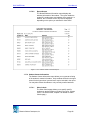
The Demographics module consists of the following pages:
•
Search
•
Primary Info
•
Additional Info
•
Contacts
•
Address List
•
Phone List
•
Health / Doctor
•
Medical Details
•
Immunization
Education Solutions Development, Inc.
Page 1
DISCOVERY.Net
•
Activity
•
Fees
•
International
•
Alternate Names
•
Address Search
•
Group Medical
•
Group Activity
•
Reports
•
Batch
1.1
User Manual
Search
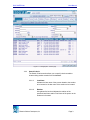
The Search page allows you to locate student record(s) in the system that
matches the criteria specified. You may also add new student(s) from this page.
The Search page facilitates initial entry to Demographics, Enrollment, Grades,
Schedules, Progress, Attendance, Transcript, Discipline, Testing, Transfer,
Special Services, Scheduling and Registration modules.
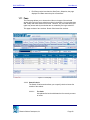
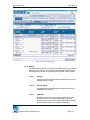
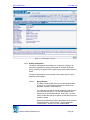
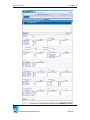
This page consists of two sections: Search Criteria and Search Result sections.
Education Solutions Development, Inc.
Page 2
DISCOVERY.Net
User Manual
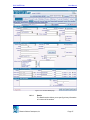
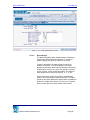
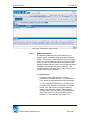
Figure 1.1.1 Demographics – Search page
1.1.1
Search Criteria
The Search Criteria section allows you to specify criteria needed to
locate existing student records from the database.
1.1.1.1
Last Name
Indicates the last name of the person related to the student
to be located or the last name of the student to be located.
1.1.1.2
Relation
A dropdown list box that indicates the relation of the
specified Last Name and/or First Name of the person to the
student to be located.
Education Solutions Development, Inc.
Page 3
DISCOVERY.Net
User Manual
1.1.1.3
First Name
Indicates the first name of the person related to the student
to be located or the first name of the student to be located.
1.1.1.4
YIS
A dropdown list box that indicates the year in school of the
student to be located.
1.1.1.5
Student ID
Indicates the unique identification number assigned to the
student to be located.
1.1.1.6
Family ID
Indicates the identification number assigned to the family of
the student to be located.
1.1.1.7
Birth Date
Indicates the date of birth of the student to be located. You
may manually specify a date in mm/dd/yyyy format or select
from the Date Picker Calendar by clicking the Calendar icon
beside the field.
1.1.1.8
School
A dropdown list box that indicates the primary school of the
student or where the student to be located is enrolled.
1.1.1.9
Gender
A dropdown list box that indicates the gender of the student
to be located. If you want to locate records regardless of
gender, select ‘All’ before [SEARCH].
1.1.1.10
Scope
A dropdown list box that indicates the extent of the search
process. Options are ‘School’ and ‘District.’ This dropdown
list box is only available if user has DISTRICT rights.
Otherwise, it is unavailable and the selected option is always
‘School’.
a. District
Indicates that student records to locate are students in
the district or in the selected school if specified.
Education Solutions Development, Inc.
Page 4
DISCOVERY.Net
User Manual
b. School
Indicates that student records to locate are students who
are currently enrolled in the logon school or selected
school if specified.
1.1.1.11
Track ID
A dropdown list box that indicates the track ID of the student
record to be located. Options are the tracks of the logon
school or selected school if specified. If you want to locate
records regardless of the track, select ‘All’ before [SEARCH].
1.1.1.12
Search Using Alternate Names
A checkbox that indicates whether the name criteria is
compared to the alternate name of the student to be located
or not.
1.1.1.13
Pattern
A dropdown list box that indicates how the student records
are located. Options are ‘Alpha’ and ‘Soundex.’
a. Alpha
Select ‘ALPHA’ to locate records that is spelled the
same as the specified Last Name and/or First Name.
b. Soundex
Select ‘SOUNDEX’ to locate records that sounds like the
specified Last Name and/or First Name.
1.1.2
Search Result
The Search Result section displays the primary information of the
students that matched the criteria specified. This section details the
student ID, student name, gender, YIS, birth date, phone no., family ID,
counselor, homeroom, school ID and track ID of the students. Clicking
the column header link sorts displayed records by the name of the link
clicked. For example, clicking the Student Name column header link
sorts displayed records by student name.
You may select a student record by doing any of the following:
•
By clicking the Student ID link on the first column of the record you
want to select.
•
By double-clicking on the student record you want to select.
Education Solutions Development, Inc.
Page 5
DISCOVERY.Net
1.2
User Manual
1.1.3
Search
Click [SEARCH] to locate student records that matched the criteria
specified.
1.1.4
Add
Click [ADD] to display the Primary Info page where a new student record
can be added.
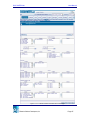
Primary Info
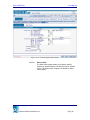
The Primary Info page allows you to view, add, modify and clone a student
demographic record. However, student details can only be modified if the logon
school is the selected students’ primary school.
This page details the primary information such as name, address details, phone
information, and additional notes of a student. Also included in this page are
some vital information about the student like gender, birth date, email address,
ethnicity and YIS.
Education Solutions Development, Inc.
Page 6
DISCOVERY.Net
User Manual
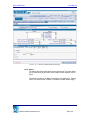
Figure 1.2.1 Primary Info page
1.2.1
Details
The Details section allows you to specify the primary information of a
student.
1.2.1.1
Student ID
Indicates the unique identification number assigned to the
student.
Education Solutions Development, Inc.
Page 7
DISCOVERY.Net
User Manual
This field is unavailable for existing records. However, for
new records, availability or value for this field depends on
how student IDs are assigned as set in Admin > Global
Parameters > District page. Student ID may be assigned
automatically, manually or both.
a. Automatic
The student ID field is unavailable. Student ID is
automatically assigned to a new student upon [SAVE].
b. Manual
The student ID field is available for your input. You must
specify a student ID before saving. Otherwise, the page
displays “Student ID is required.”
c. Both
The student ID field is available for your input. You may
or may not specify a student ID upon [SAVE]. If you
specify a student ID, this is the value assigned to the
new student. Otherwise, the system automatically
assigns a student ID to the new student.
1.2.1.2
Family ID
Indicates the identification number uniquely identifying
students within the same family. Unless you input a value in
this field, the system automatically assigns the student ID as
the family ID.
1.2.1.3
Last Name
Indicates the last name of the student. You must specify a
last name for the student before saving. Otherwise, the
page displays “Last Name is required.”
1.2.1.4
First Name
Indicates the first name of the student. You must specify a
first name for the student before saving. Otherwise, the
page displays “First Name is required.”
1.2.1.5
Middle Name
Indicates the middle name of the student.
Education Solutions Development, Inc.
Page 8
DISCOVERY.Net
1.2.2
User Manual
1.2.1.6
Gender
A dropdown list box that indicates the gender of the student.
You must select a gender before saving. Otherwise, the
page displays “Gender is required.”
1.2.1.7
Birth Date
Indicates the date of birth of the student. You may manually
specify a date in mm/dd/yyyy format or select from the Date
Picker Calendar by clicking the Calendar icon beside the
field. You must specify a birth date before saving. Otherwise,
page displays “Birth Date is required.”
1.2.1.8
Suffix
A dropdown list box that indicates the suffix attached to the
name of the student.
1.2.1.9
Email
Indicates the primary email address of the student.
1.2.1.10
Ethnicity
A dropdown list box that indicates the primary ethnicity of the
student.
1.2.1.11
YIS
A dropdown list box that indicates current year in school of
the student. This field is unavailable for existing records.
For a new student, if a value is selected for this field, the
student is automatically enrolled to the logon school.
Address Information
The Address Information section allows you to specify the student
address information. Displayed address in this section is the student’s
address with address type the same as the Default Address Type Code
set in Admin > Global Parameters > District page. If there’s no default
address type code for the district, the student’s default address is
displayed.
1.2.2.1
Address Type
A dropdown list box that indicates the address type of the
student’s address.
Education Solutions Development, Inc.
Page 9
DISCOVERY.Net
User Manual
1.2.2.2
Verify Flag
A dropdown list box that indicates whether the specified
address is to be validated or not. Options are ‘1 – Verified’,
‘2 - Out of School Boundaries’, ‘3 - Out of District’, and ‘4 Unknown’.
a. 1 – Verified
Indicates that address entry is validated. You must
specify a valid address combination for the selected
block code or street name. Otherwise, the Block Search
window is opened where you may view a list of valid
address combination. Moreover, this also indicates that
the logon school is in the list of schools for the selected
block code.
b. 2 - Out of School Boundaries
Indicates that address is validated. You must specify a
valid address combination for the selected block code or
street name. Otherwise, the Block Search window is
opened where you may view a list of valid address
combination. However, unlike option ‘1 – Verified’, the
logon school may not be in the list of schools for the
selected block code.
c. 3 - Out of District
Indicates that address is not validated. If you specified a
house no., you must also specify address, city, country,
state, and zip. This indicates that the specified address
combination is out of the district.
d. 4 - Unknown
Indicates that address is not validated. If you specified a
house no., you must also specify address, city, country,
state, and zip. If the address specified does not fall on
the other types specified above, then you may select this
value to indicate other reasons for specifying the
address.
1.2.2.3
Default Address
A checkbox that indicates whether the address specified is
the default address of the student or not.
Education Solutions Development, Inc.
Page 10
DISCOVERY.Net
User Manual
1.2.2.4
Block Code
Indicates the block code of the address of the student. You
may manually specify a block code or look through the Block
Search window by clicking on the spyglass icon. (Please
refer to Lookup Window, Chapter 6 for details on Block
Search window.) You must specify a block code before
checking the address. Otherwise, the page displays “Block
or Street Name is required.”
1.2.2.5
Description
Indicates the description of the block code of the address.
1.2.2.6
House No.
Indicates the house number of the address of the student.
You must specify a house number before checking the
address. Otherwise, the page displays “House No. is
required.”
1.2.2.7
Street Name
Indicates the street name of the address of the student. You
must specify a street name before checking the address.
Otherwise, the page displays “Block or Street Name is
required.”
1.2.2.8
Street Direction
Indicates the street direction of the address of the student.
1.2.2.9
Address
Indicates the address of the student. Address line 1 is
unavailable when address validation is allowed for the
district as set in Admin > Global Parameters > District page
and Verify Flag is set to ‘3 – Out of District’ or ‘4 – Unknown’.
Otherwise, the field is available and address need not be
validated.
1.2.2.10
Mailing Name
A dropdown list box that indicates the type of mailing name
used for mailing the student. Options are ‘Student Name’
and ‘Other Name.’ Selecting ‘Student Name’ indicates that
the student’s name is used in mailing the student. While
selecting ‘Other Name’ indicates the specified other name is
used in mailing the student.
Education Solutions Development, Inc.
Page 11
DISCOVERY.Net
User Manual
1.2.2.11
Resides With
A dropdown list box that indicates the relationship of the
person living with the student to the student.
1.2.2.12
City
Indicates the city of the address of the student. You must
specify a city when Verify Flag is set to ‘3 – Out of District’ or
‘4 – Unknown’ and other address details (house no.,
address, state, country, zip) are specified. Otherwise, the
page displays “City is required.”
1.2.2.13
State
Indicates the state of the address of the student. If Verify
Flag is set to ‘3 – Out of District’ or ‘4 – Unknown’, this field
only becomes available when selected Country is ‘Canada’
or ‘United States’. In this case, you must select a state.
Otherwise, the page displays a validation message. If
Country is ‘Canada’ message is “Province is required for
Canada.” If Country is ‘United States’, message is “State is
required for United States.”
1.2.2.14
County
Indicates the county of the address of the student.
1.2.2.15
Country
Indicates the country of the address of the student. If Verify
Flag is set to ‘3 – Out of District’ or ‘4 – Unknown’, you must
select a country. Otherwise, the page displays “Country is
required.”
1.2.2.16
Zip
Indicates the zip code and zip extension of the address of
the student. If Verify Flag is set to ‘3 – Out of District’ or ‘4 –
Unknown’ and selected country is ‘Canada’ or ‘United
States’, you must specify a zip code. Otherwise, the page
displays “Zip is required for United States.” or ”Zip is
required for Canada.”
1.2.2.17
Family Address
A checkbox that indicates whether the address specified is a
family address or not. If Family Change is set to ‘Yes’ for the
district and the specified family address of the student is
modified, then family address of all persons belonging to the
same family as the selected student are also modified.
Education Solutions Development, Inc.
Page 12
DISCOVERY.Net
User Manual
1.2.2.18
1.2.3
1.2.4
Address Used For
A multi-select list box that indicates what type of mailers
which when sent, are addressed to the specified address.
Phone Information
The Phone Information section allows you to specify the first three phone
information of the student.
1.2.3.1
Phone Type
A dropdown list box that indicates the type of the phone
detail of the student. If other phone details are specified,
you must select a phone type before saving. Otherwise, the
page displays “Phone Type is required.”
1.2.3.2
US
A checkbox that indicates whether the phone number is a
US phone number or not.
1.2.3.3
Phone No.
Indicates the phone number of the student. If a phone type is
selected, you must specify a phone number before saving.
Otherwise, page displays “Phone No. is required.”
1.2.3.4
Ext.
Indicates the extension of the phone number of the student.
1.2.3.5
Unlisted
A checkbox that indicates whether the phone number is
listed in the US directory or not.
1.2.3.6
Family
A checkbox that indicates whether the phone number is a
family number or not.
1.2.3.7
Default
A checkbox that indicates whether the phone detail is the
default phone number of the student or not.
Student Notes
The Student Notes section allows you to specify additional student
notes.
Education Solutions Development, Inc.
Page 13
DISCOVERY.Net
1.2.5
User Manual
1.2.4.1
Notes
Indicates additional notes for student primary information.
1.2.4.2
Web Access
A checkbox that indicates whether the student primary
information can be accessed on the web or not.
Check Address
Click [CHECK ADDRESS] to check whether the specified address
information is valid against the district-based address locations. This
button is available only if selected Verify Flag is ‘1 – Verified’ or ‘2 – Out
of School Boundaries’ and address validation is allowed for the district as
set in Admin > Global Parameters > District page.
Clicking [CHECK ADDRESS] opens the Block Search window according
to the House No., Street Name and Street Direction you specified.
(Please refer to Lookup Window, Chapter 6 for details on Block Search
window.)
1.2.6
Save
Click [SAVE] to add the primary information of new student record or
post modifications made to the primary information of the selected
student into the database.
Clicking [SAVE] also performs the following validations:
1.2.7
•
If the US checkbox is selected for Phone, you must specify a number
in US format. Otherwise, the page displays “US Phone should be in
(999)999-9999 format.”
•
If email addresses are not in valid format, page displays “Invalid
Email.”
•
It is advisable that the logon school is in the list of schools for the
selected block of the student’s address. Otherwise, the page
displays “Warning - Student address is not within school
boundaries.”
•
If a student record already exists with the same last name, first
name, birth date, and gender as the new student record, a lookup
window opens displaying the list of students with the details. (Please
refer to Lookup Window, Chapter 11 for details on Duplicate Names
Search (Primary Info) window.)
Add
Click [ADD] to allow you to specify a primary info record of a new
student.
Education Solutions Development, Inc.
Page 14
DISCOVERY.Net
1.2.8
1.3
User Manual
Clone
Click [CLONE] to display the page in add mode and allow you to create a
sibling of the selected student. Clone function clears most of the fields
but leaves the pertinent fields as defaults for entering a sibling. Family
ID, last name, phone information, and address information are populated
accordingly. Upon [SAVE], additional student details that are not
displayed on the page such as transportation information, feeder school
information, links to contacts, address used for, and default contact
information are automatically cloned.
Additional Info
The Additional Info page allows you to view, add and modify a student record.
However, student details can only be modified if the logon school is the selected
students’ primary school.
This page details other supplemental student information such as enrollment,
identification, district, vocation concentrator, ethnicity, language, birth verification,
residency verification, graduation, driver’s license, transportation, additional
email addresses and transfer details of the student.
Education Solutions Development, Inc.
Page 15
DISCOVERY.Net
User Manual
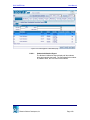
Figure 1.3.1 Additional Info page
Education Solutions Development, Inc.
Page 16
DISCOVERY.Net
1.3.1
1.3.2
User Manual
Enrollment
The Enrollment section allows you to view or modify enrollment
information of the student.
1.3.1.1
District Status
A dropdown list box that indicates the enrollment status of
the student in the district.
1.3.1.2
Primary School
Indicates the school where the student is enrolled. The
primary school is the school that controls the student’s
demographic records such as contact information, medical
detail and personal data.
1.3.1.3
Dual Enrolled
A dropdown list box that indicates whether a student can be
enrolled in more than one school or not. Options are ‘Yes’
and ‘No.’
1.3.1.4
First Term
Indicates the first enrollment term of student in the district.
1.3.1.5
Last Term
Indicates the last enrollment term of student in the district.
ID
The ID section allows you to view or modify identification information of
the student.
1.3.2.1
State ID
Indicates the state identification number assigned to the
student.
1.3.2.2
SSN
Indicates the social security number of the student.
1.3.2.3
Federal ID
Indicates the federal identification number assigned to the
student.
Education Solutions Development, Inc.
Page 17
DISCOVERY.Net
User Manual
1.3.2.4
1.3.3
1.3.4
Picture File Name
Indicates the name of the file of the student’s picture.
District
The District section allows you to view or modify district information of
the student.
1.3.3.1
District of Residence
A dropdown list box that indicates the district where the
student resides.
1.3.3.2
Entrance Date
Indicates the date when the student first enrolled in the
school in the district. You may manually specify a date in
mm/dd/yyyy format or select from the Date Picker Calendar
by clicking the Calendar icon beside the date field.
1.3.3.3
Exit Date
Indicates the date when the student leaves the school in the
district. You may manually specify a date in mm/dd/yyyy
format or select from the Date Picker Calendar by clicking
the Calendar icon beside the date field.
1.3.3.4
Migrant Status
A dropdown list box that indicates the migration status of the
student in the district.
1.3.3.5
Voting Precinct
A dropdown list box that indicates the voting precinct of the
student.
1.3.3.6
Tech Prep
A dropdown list box that indicates whether the student has
technical preparation or not. Options are ‘Yes’ and ‘No.’
Vocation Concentrator
The Vocation Concentrator section allows you to view or modify vocation
information of the student.
1.3.4.1
Vocation Concentrator Flag
A dropdown list box that indicates whether the student is
taking up vocational courses or not. Options are ‘Yes’ and
‘No.’
Education Solutions Development, Inc.
Page 18
DISCOVERY.Net
User Manual
1.3.4.2
1.3.5
1.3.6
1.3.7
Vocation Concentrator Code
Indicates the code of the vocational course the student is
taking up.
Ethnicity
The Ethnicity section allows you to view or modify ethnicity information of
the student.
1.3.5.1
Primary Ethnicity
Indicates the primary ethnic origin of the student.
1.3.5.2
Primary Ethnicity Type
A dropdown list box that indicates the ethnicity type of the
ethnic group of the student.
1.3.5.3
Additional Ethnicities
A multi-select list box that indicates other ethnicities of the
student.
Language
The Language section allows you to view or modify language information
of the student.
1.3.6.1
Primary
A dropdown list box that indicates the primary language
spoken by the student.
1.3.6.2
Home
A dropdown list box that indicates the primary language
spoken by the student at home.
1.3.6.3
LEP
A dropdown list box that indicates the level of English
proficiency of the student.
Birth Verification
The Birth Verification section allows you to view or modify birth
information of the student.
Education Solutions Development, Inc.
Page 19
DISCOVERY.Net
1.3.8
1.3.9
User Manual
1.3.7.1
Birth Date
Indicates the date of birth of the student. You may manually
specify a date in mm/dd/yyyy format or select from the Date
Picker Calendar by clicking the Calendar icon beside the
date field.
1.3.7.2
City
Indicates the city where the student is born.
1.3.7.3
State
A dropdown list box that indicates the state where the
student is born. This field is available only when selected
country is either ‘Canada’ or ‘United States.’
1.3.7.4
County
A dropdown list box that indicates the county where the
student is born.
1.3.7.5
Country
A dropdown list box that indicates the country where the
student is born.
1.3.7.6
Verified By
A multi-select list box that indicates the document(s)
presented by the student that verifies birth information.
Residency Verification
The Residency Verification section allows you to view or modify
residency information of the student.
1.3.8.1
Resides With
A dropdown list box that indicates the relationship of the
person(s) to the student with whom the student resides.
1.3.8.2
Verified By
A multi-select list box that indicates the document(s)
presented by the student that verifies residency information.
Graduation
The Graduation section allows you to view or modify graduation
information of the student.
Education Solutions Development, Inc.
Page 20
DISCOVERY.Net
User Manual
1.3.9.1
Anticipated Graduation Year
Indicates the school year when the student is expected to
graduate.
1.3.9.2
Actual Graduation Year
Indicates the actual school year of the student’s graduation.
1.3.9.3
Diploma Type
A dropdown list box that indicates the type of diploma the
student receives for graduation.
1.3.9.4
Graduation Date
Indicates the date of graduation of the student. You may
manually specify a date in mm/dd/yyyy format or select from
the Date Picker Calendar by clicking the Calendar icon
beside the date field.
1.3.9.5
Scale
A dropdown list box that indicates the graduation scale
assigned to the student.
1.3.10 Driver
The Driver section allows you to specify the driving information of the
student.
1.3.10.1
License Number
Indicates the driver license number of the student.
1.3.10.2
Driver Ed. Certification Date
Indicates the date when the student receives the driver’s
education certification. You may manually specify a date in
mm/dd/yyyy format or select from the Date Picker Calendar
by clicking the Calendar icon beside the date field.
1.3.10.3
Driver Certification Type
A dropdown list box that indicates the type of driver’s
certificate of the student.
1.3.11 Transportation
The Transportation section allows you to view or modify transportation
information of the student.
Education Solutions Development, Inc.
Page 21
DISCOVERY.Net
User Manual
1.3.11.1
Street
A dropdown list box that indicates the street where the
transportation bus is to fetch or drop the student.
1.3.11.2
Block
A dropdown list box that indicates the block where the
transportation bus is to fetch or drop the student.
1.3.11.3
Zone
A dropdown list box that indicates the zone that applies to
the student’s bus route.
1.3.12 Additional Email Addresses
The Additional Email Addresses section allows you to specify alternate
email addresses of the student. You may specify three other email
addresses in this section.
1.3.12.1
Email1
Indicates first additional email address of the student.
1.3.12.2
Email2
Indicates second additional email address of the student.
1.3.12.3
Email3
Indicates the third additional email address of the student.
1.3.13 Transfer
The Transfer section allows you to view or modify transfer file information
of the student.
1.3.13.1
Transfer File Date
Indicates the date of the transfer file of the student. You
may manually specify a date in mm/dd/yyyy format or select
from the Date Picker Calendar by clicking the Calendar icon
beside the date field.
1.3.13.2
Transfer To
Indicates the person to whom the transfer file is submitted.
1.3.13.3
Transfer File Type
A dropdown list box that indicates the type of transfer file of
the student.
Education Solutions Development, Inc.
Page 22
DISCOVERY.Net
User Manual
1.3.13.4
Permissible Recipients
A multi-select list box that indicates the possible areas that
may receive the transfer file of the student.
1.3.14 Save
Click [SAVE] to post modifications made on additional information record
of the selected student into the database.
Clicking [SAVE] also performs the following validations:
•
You must specify SSN in 999-99-9999 format. Otherwise, page
displays “SSN should be in 9 digits using 999-99-9999 format.”
•
You must specify email addresses in correct format. Otherwise, page
displays “Invalid <email field label>.”
1.4 Contacts
The Contacts submodule allows you to view, modify, add and delete contact
record(s) of a student. This page details the contact name, their respective
address and phone information of the selected student.
The Contacts submodule consists of two pages: List and Details pages.
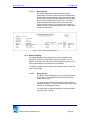
1.4.1
List
The List page allows you to view the contacts of the selected student
and modify their order of importance.
The List page consists of two sections: Details and List sections.
Education Solutions Development, Inc.
Page 23
DISCOVERY.Net
User Manual
Figure 1.4.1.1 Contacts List page
1.4.1.1
Details
The Details section displays the primary information of the
student such as family ID, address, gender, birth date, and
phone number.
a. Family ID
Indicates the identification number uniquely identifying
students within the same family.
b. Gender
Indicates the gender of the student.
c. Address
Indicates the default address of the student.
d. Birth Date
Indicates the date of birth of the student.
e. Phone No.
Indicates the phone number of the student.
Education Solutions Development, Inc.
Page 24
DISCOVERY.Net
User Manual
1.4.1.2
List
The List section displays a list of all contacts of the selected
student. This section also allows you to modify the order of
importance of the student’s contacts.
You may view or modify the details of a contact of the
selected student using the Contacts Detail page by doing
any of the following:
•
By clicking the Relation link on the first column of the
contact record you want to view or modify.
•
By double-clicking on the contact record you want to
view or modify.
a. Relation
Indicates the relationship of the student to the
corresponding contact. This is displayed as a link which
when clicked opens the Contacts Details page where
you may view the details of the selected record.
b. Name
Indicates the name of the contact of the student.
c. Address
Indicates the address of the contact.
d. Phone Type
Indicates the type of the phone number of the contact.
e. Phone No.
Indicates the phone number of the contact.
f.
Family ID
Indicates the identification number uniquely identifying
students and contacts within the same family.
g. Email
Indicates the primary email address of the contact.
Education Solutions Development, Inc.
Page 25
DISCOVERY.Net
User Manual
h. Release
Indicates whether the student can be released to the
corresponding contact or not. Values may either be ‘Y’
or ‘N’. If the student cannot be released to one of his
contacts, ‘Rel*’ is displayed in the student header.
i.
1.4.1.3
Order
Indicates the sequential order of the contacts of the
student. You must specify an order for the contact(s).
Otherwise, the page displays “Order is required.”
Save
Click [SAVE] to post modifications made in the order of
contact information records of the student.
Clicking [SAVE] also performs the following validation:
•
1.4.1.4
1.4.2
Each contact must have a unique order. Otherwise, the
page displays “Order <order value> already exists.”
Add
Click [ADD] to open the Contact Details page where you
may add a new contact record for the selected student.
Details Page
The Details page allows you to view, add, modify, delete and clone a
contact record. This page details the contact’s primary information,
address, phone/email, and other data.
When adding a new contact record, only last name and first name are
available for input. Upon specifying the contact’s last name and first
name, the application checks for duplicate names. If duplicate records
exist, the Duplicate Name Search window opens displaying the contacts
with the same last name and first name as the specified values. (Please
refer to Lookup Window, Chapter 10 for details on Duplicate Names
Search (Contacts) window.)
The Details page consists of four sections: Details, Address Information,
Phone/Email Notification, and Other Information sections.
Education Solutions Development, Inc.
Page 26
DISCOVERY.Net
User Manual
Figure 1.4.2.1 Contacts Details page
1.4.2.1
Details
The Details section allows you to specify primary information
of a contact of the student.
Education Solutions Development, Inc.
Page 27
DISCOVERY.Net
User Manual
a. Relation
A dropdown list box that indicates the relationship type
of the contact to the student. You must specify a relation
before saving. Otherwise, the page displays “Relation is
required.”
b. Family ID
Indicates the identification number uniquely identifying
persons within the same family. You must specify a
family ID before saving. Otherwise, the page displays
“Family ID is required.”
c. Release
A checkbox that indicates whether the student can be
released to the contact or not.
d. Legal Guardian
A checkbox that indicates whether the contact is a legal
guardian of the student or not.
e. Last Name
Indicates the last name of the contact. You must specify
a last name for the contact before saving. Otherwise, the
page displays “Last Name is required.”
f.
First Name
Indicates the first name of the contact. You must specify
a first name for the contact before saving. Otherwise, the
page displays “First Name is required.”
g. Middle Name
Indicates the middle name of the contact.
h. Gender
A dropdown list box that indicates the gender of the
contact. You must select a gender from the list before
saving. Otherwise, the page displays “Gender is
required.”
i.
Title
A dropdown list box that indicates the title of the contact.
Education Solutions Development, Inc.
Page 28
DISCOVERY.Net
User Manual
j.
Suffix
A dropdown list box that indicates the suffix that comes
with the name of the contact.
k. Ethnicity
A dropdown list box that indicates the ethnic group the
contact belongs.
l.
Primary Language
A dropdown list box that indicates the primary language
spoken by the contact.
m. Marital Status
A dropdown list box that indicates the status of the
contact.
n. Relation Notes
An edit box that indicates notes about the contact.
o. Web Access
A checkbox that indicates whether the contact
information may be accessed through the web or not.
p. No Address
A checkbox that indicates whether the contact has an
address or not.
q. No Phone
A checkbox that indicates whether the contact has
phone records or not.
1.4.2.2
Address Information
The Address Information section allows you to specify
address information of the contact.
a. Address Type
A dropdown list box that indicates type of the address of
the contact.
Education Solutions Development, Inc.
Page 29
DISCOVERY.Net
User Manual
b. Verify Flag
A dropdown list box that indicates whether the specified
address is to be validated or not. Options are ‘1 –
Verified’, ‘2 - Out of School Boundaries’, ‘3 - Out of
District’, and ‘4 - Unknown’.
a. 1 – Verified
Indicates that address entry is validated. You must
specify a valid address combination for the selected
block code or street name. Otherwise, the Block
Search window is opened where you may view a list
of valid address combination. Moreover, this also
indicates that the logon school is in the list of
schools for the specified block code.
b. 2 - Out of School Boundaries
Indicates that address is validated. You must specify
a valid address combination for the selected block
code or street name. Otherwise, the Block Search
window is opened where you may view a list of valid
address combination. However, unlike option ‘1 –
Verified’, the logon school may not be in the list of
schools for the selected block code.
c. 3 - Out of District
Indicates that address is not validated. If you
specified a house no., you must also specify
address, city, country, state, and zip. This indicates
that the specified address combination is out of the
district.
d. 4 - Unknown
Indicates that address is not validated. If you
specified a house no., you must also specify
address, city, country, state, and zip. If the address
specified does not fall on the other types specified
above, then you may select this value to indicate
other reasons for specifying the address.
c. Default Address
A checkbox that indicates whether the address specified
is the default address of the contact or not.
Education Solutions Development, Inc.
Page 30
DISCOVERY.Net
User Manual
d. Block
Indicates the block code of the address of the student.
You may manually specify a block or look through the
Block Search window by clicking on the spyglass icon.
(Please refer to Lookup Window, Chapter 6 for details
on Block Search window.) You must specify a block
code before checking the address. Otherwise, the page
displays “Block or Street Name is required.”
e. Description
Indicates the description of the block code of the
address of the contact of the student.
f.
House No.
Indicates the house number of the address of the
contact of the student. You must specify a house
number before checking the address. Otherwise, the
page displays “House No. is required.”
g. Street Name
Indicates the street name of the address of the contact
of the student. You must specify a street name before
checking the address. Otherwise, the page displays
“Block or Street Name is required.”
h. Direction
Indicates the street direction of the address of the
contact of the student.
i.
Address
Indicates the address of the contact of the student.
Address line 1 is unavailable when address validation is
allowed for the district as set in Admin > Global
Parameters > District page and Verify Flag is set to ‘3 –
Out of District’ or ‘4 – Unknown’. Otherwise, the field is
available and address need not be validated.
j.
Family Address
A checkbox that indicates whether the address specified
is a family address or not. If Family Change is set to
‘Yes’ for the district and the specified family address of
the student is modified, then family address of all
persons belonging to the same family as the selected
contact are also modified.
Education Solutions Development, Inc.
Page 31
DISCOVERY.Net
User Manual
k. City
Indicates the city of the address of the contact of the
student. You must specify a city when Verify Flag is set
to ‘3 – Out of District’ or ‘4 – Unknown’ and other
address details (house no., address, state, country, zip)
are specified. Otherwise, the page displays “City is
required.”
l.
State
Indicates the state of the address of the contact of the
student. If Verify Flag is set to ‘3 – Out of District’ or ‘4 –
Unknown’, this field only becomes available when
selected Country is ‘Canada’ or ‘United States’. In this
case, you must select a state. Otherwise, the page
displays a validation message. If Country is ‘Canada’
message is “Province is required for Canada.” If
Country is ‘United States’, message is “State is required
for United States.”
m. County
Indicates the county part of the address of the contact.
n. Country
Indicates the country of the address of the contact of the
student. If Verify Flag is set to ‘3 – Out of District’ or ‘4 –
Unknown’, you must select a country. Otherwise, the
page displays “Country is required.”
o. Zip
Indicates the zip code and zip extension of the address
of the contact of the student. If Verify Flag is set to ‘3 –
Out of District’ or ‘4 – Unknown’ and selected country is
‘Canada’ or ‘United States’, you must specify a zip code.
Otherwise, the page displays “Zip is required for United
States.” or ”Zip is required for Canada.”
p. Address Used For
A multi-select list box that indicates the types of mailers
to send to the address specified.
1.4.2.3
Phone/Email Information
The Phone/Email Information section allows you to specify at
most three phone/email information of the contact of the
student.
Education Solutions Development, Inc.
Page 32
DISCOVERY.Net
User Manual
a. Email1
Indicates the first email address of the contact of the
student.
b. Email2
Indicates second email address of the contact of the
student.
c. Email3
Indicates third email address of the contact of the
student.
d. Phone Type
A dropdown list box that indicates the type of phone of
the contact. If other phone details are specified, you
must select a phone type before saving. Otherwise, the
page displays “Phone Type is required.”
e. Phone No.
Indicates the phone number of the contact. If a phone
type is selected, you must specify a phone number
before saving. Otherwise, page displays “Phone No. is
required.”
f.
Ext.
Indicates the extension part of the phone number of the
contact of the student.
g. Unlisted
A checkbox that indicates whether the number is listed
in the US directory or not.
h. Deaf
A checkbox that indicates whether the phone number
specified is for the deaf or not.
i.
Family
A checkbox that indicates whether the phone number
specified is a family number or not.
Education Solutions Development, Inc.
Page 33
DISCOVERY.Net
User Manual
1.4.2.4
Other Information
The Other Information section allows you to specify other
information about the contact such as additional notes,
employer, working hours, and number of linked students to
the contact.
a. Notes
An edit box that indicates notes about the contact of the
student.
b. Employer
Indicates the name of the employer of the contact of the
student.
c. Work
Indicates the working hours of the contact of the student.
d. Deceased
A checkbox that indicates whether the contact of the
student is deceased or not.
e. No. of Linked Students
Indicates the number of students related to the contact.
1.4.2.5
Check Address
Click [CHECK ADDRESS] to check whether the specified
address information is valid against the district-based
address locations. This button is available only if selected
Verify Flag is ‘1 – Verified’ or ‘2 – Out of School Boundaries’
and address validation is allowed for the district as set in
Admin > Global Parameters > District page.
Clicking [CHECK ADDRESS] opens the Block Search
window according to the House No., Street Name and Street
Direction you specified. (Please refer to Lookup Window,
Chapter 6 for details on Block Search window.)
1.4.2.6
Save
Click [SAVE] to add a new contact record or post
modifications made on the information of a contact record of
the selected student into the database.
Clicking [SAVE] also performs the following validations:
Education Solutions Development, Inc.
Page 34
DISCOVERY.Net
User Manual
1.4.2.7
1.5
•
If the US checkbox is selected for Phone No., you must
specify a number in US format. Otherwise, the page
displays “US Phone should be in (999)999-9999 format.”
•
If email addresses are not in valid format, page displays
“Invalid <email field label>.”
Delete
Click [DELETE] to remove student contact information
record from the database.
Address List
The Address List submodule allows you to view, add, modify, delete, and reorder
an address associated to the selected student including the addresses of his
contacts.
The Address List sub module consists of two pages: List and Details pages.
1.5.1
List
The List Page allows you to view the primary address information
associated to the selected student. This page details the relation, name,
family ID, address type and address of the person. This page also
displays the order of the address and whether it is the family or default
address of the person. You may also modify the order of the addresses
of the person associated to the student from this page. Clicking the
column header link sorts displayed records by the name of the link
clicked. For example, clicking the Name column header link sorts
displayed records by name.
You may view or modify the details of an address record of the selected
student using the Address Details page by doing any of the following:
•
By clicking the Relation link on the first column of the address record
you want to view or modify.
•
By clicking on an address record you want to view or modify.
Education Solutions Development, Inc.
Page 35
DISCOVERY.Net
User Manual
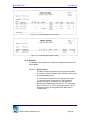
Figure 1.5.1.1 Address List page
1.5.2
1.5.1.1
Add
Click [ADD] to open the Address Details page where you
may specify a new address record.
1.5.1.2
Reorder
Click [REORDER] to open the Address Reorder window
where you may rearrange the order of address records.
(Please refer to Lookup Window, Chapter 5 for details on
Address Reorder window.)
Details
The Details page allows you to view, add, modify and delete an address
record associated to the student. This page details basic person and
address information associated to the student.
The Address Details page consists of two sections: Details and Address
Information sections.
Education Solutions Development, Inc.
Page 36
DISCOVERY.Net
User Manual
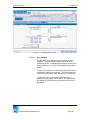
Figure 1.5.2.1 Address Details page
1.5.2.1
Details
The Details section displays primary information of the
person associated to the student.
a. Relation
Indicates the relationship of the person with the student.
b. Name
Indicates the name of the person.
c. Family ID
Indicates the identification number uniquely identifying
students and contacts within the same family.
Education Solutions Development, Inc.
Page 37
DISCOVERY.Net
User Manual
1.5.2.2
Address Information
The Address Information section allows you to specify
address information of the person associated to the student.
a. Address Type
A dropdown list box that indicates the type of the
address of the person associated to the student. You
must select an address type before saving. Otherwise,
the page displays “Address Type is required.”
b. Verify Flag
A dropdown list box that indicates whether the specified
address is to be validated or not. Options are ‘1 –
Verified’, ‘2 - Out of School Boundaries’, ‘3 - Out of
District’, and ‘4 - Unknown’.
i.
1 – Verified
Indicates that address entry is validated. You must
specify a valid address combination for the selected
block code or street name. Otherwise, the Block
Search window is opened where you may view a list
of valid address combination. Moreover, this also
indicates that the logon school is in the list of
schools for the specified block code.
ii. 2 - Out of School Boundaries
Indicates that address is validated. You must specify
a valid address combination for the selected block
code or street name. Otherwise, the Block Search
window is opened where you may view a list of valid
address combination. However, unlike option ‘1 –
Verified’, the logon school may not be in the list of
schools for the selected block code.
iii. 3 - Out of District
Indicates that address is not validated. If you
specified a house no., you must also specify
address, city, country, state, and zip. This indicates
that the specified address combination is out of the
district.
Education Solutions Development, Inc.
Page 38
DISCOVERY.Net
User Manual
iv. 4 - Unknown
Indicates that address is not validated. If you
specified a house no., you must also specify
address, city, country, state, and zip. If the address
specified does not fall on the other types specified
above, then you may select this value to indicate
other reasons for specifying the address.
c. Default Address
A checkbox that indicates whether the address specified
is the default address or not.
d. Block
Indicates the block code of the address of the person
associated to the student. You may manually specify a
block or look through the Block Search window by
clicking on the spyglass icon. (Please refer to Lookup
Window, Chapter 6 for details on Block Search window.)
You must specify a block code before checking the
address. Otherwise, the page displays “Block or Street
Name is required.”
e. Description
Indicates the description of the block code of the
address of the person associated to the student.
f.
House No.
Indicates the house number of the address of the person
associated to the student. You must specify a house
number before checking the address. Otherwise, the
page displays “House No. is required.”
g. Street Name
Indicates the street name of the address of the person
associated to the student. You must specify a street
name before checking the address. Otherwise, the page
displays “Block or Street Name is required.”
h. Direction
Indicates the street direction of the address of the
person associated to the student.
Education Solutions Development, Inc.
Page 39
DISCOVERY.Net
User Manual
i.
Address
Indicates the address of the person associated to the
student. Address line 1 is unavailable when address
validation is allowed for the district as set in Admin >
Global Parameters > District page and Verify Flag is set
to ‘3 – Out of District’ or ‘4 – Unknown’. Otherwise, the
field is available and address need not be validated.
j.
Family Address
A checkbox that indicates whether the address specified
is a family address or not. If Family Change is set to
‘Yes’ for the district and the specified family address of
the student is modified, then family address of all
persons belonging to the same family as the selected
person are also modified.
k. Bad Address
A checkbox that indicates whether the specified address
is valid or not.
l.
City
Indicates the city of the address of the person
associated to the student. You must specify a city when
Verify Flag is set to ‘3 – Out of District’ or ‘4 – Unknown’
and other address details (house no., address, state,
country, zip) are specified. Otherwise, the page displays
“City is required.”
m. State
Indicates the state of the address of the person
associated to the student. If Verify Flag is set to ‘3 – Out
of District’ or ‘4 – Unknown’, this field only becomes
available when selected Country is ‘Canada’ or ‘United
States’. In this case, you must select a state.
Otherwise, the page displays a validation message. If
Country is ‘Canada’ message is “Province is required for
Canada.” If Country is ‘United States’, message is
“State is required for United States.”
n. County
Indicates the county of the address of the person
associated to the student.
Education Solutions Development, Inc.
Page 40
DISCOVERY.Net
User Manual
o. Country
Indicates the country of the address of the person
associated to the student. If Verify Flag is set to ‘3 – Out
of District’ or ‘4 – Unknown’, you must select a country.
Otherwise, the page displays “Country is required.”
p. Zip
Indicates the zip code and zip extension of the address
of the person associated to the student. If Verify Flag is
set to ‘3 – Out of District’ or ‘4 – Unknown’ and selected
Country is ‘Canada’ or ‘United States’, you must specify
a zip code. Otherwise, the page displays “Zip is
required for United States.” or ”Zip is required for
Canada.”
q. Order
Indicates the order of the specified address.
r.
Address Used For
A multi-select list box that indicates the types of mailers
to send to the specified address.
s. Notes
An edit box that indicates notes about the address of the
person associated to the student.
t.
1.5.2.3
Mailing Name
Indicates the name of the person who will receive mails
sent to the specified address.
Check Address
Click [CHECK ADDRESS] to check whether the specified
address information is valid against the district-based
address locations. This button is available only if selected
Verify Flag is ‘1 – Verified’ or ‘2 – Out of School Boundaries’
and address validation is allowed for the district as set in
Admin > Global Parameters > District page.
Clicking [CHECK ADDRESS] opens the Block Search
window according to the House No., Street Name and Street
Direction you specified. (Please refer to Lookup Window,
Chapter 6 for details on Block Search window)
Education Solutions Development, Inc.
Page 41
DISCOVERY.Net
User Manual
1.5.2.4
Save
Click [SAVE] to add the new address information or post
modifications made to the address information record into
the database.
Clicking [SAVE] also performs the following validations:
1.5.2.5
•
If the US checkbox is selected for Phone No., you must
specify a number in US format. Otherwise, the page
displays “US Phone should be in (999)999-9999 format.”
•
If any email addresses is not in valid format, page
displays “Invalid <email field label>.”
Delete
Click [DELETE] to remove an address information record
from the database.
1.6 Phone List
The Phone List submodule allows you to view, add, modify, and delete phone
number(s) associated to the selected student including the phone numbers of his
contacts.
The Phone List submodule consists of two pages: List and Details pages.
1.6.1
List Page
The List Page allows you to view the primary phone information
associated to the selected student. This page details the relation, name,
phone type, phone number and extension of the person. Moreover, this
page also displays the order of the phone and whether it is unlisted, the
default or family phone of the person, or if it is a US number or is for the
deaf. You may also modify the order of the phone number of the person
associated to the student from this page. Clicking the column header link
sorts displayed records by the name of the link clicked. For example,
clicking the Name column header link sorts displayed records by name.
You may view or modify the details of a phone record of the selected
student using the Phone Details page by doing any of the following:
•
By clicking the Relation link on the first column of the phone record
you want to view or modify.
•
By clicking on a phone record you want to view or modify.
Education Solutions Development, Inc.
Page 42
DISCOVERY.Net
User Manual
Figure 1.6.1.1 Phone List page
1.6.2
1.6.1.1
Add
Click [ADD] to open the Phone Details page where you may
specify the details of a new phone record for the selected
student.
1.6.1.2
Reorder
Click [REORDER] to open the Phone Reorder window
where you may rearrange the order of the phone records.
(Please refer to Lookup Window, Chapter 19 for details on
Phone Reorder window.)
Phone Details
The Phone Details page allows you to view, add, modify and delete a
phone number record associated to the student. This page details basic
person and phone information associated to the student.
The Phone Details page consists of two sections: Details and Phone
Information sections.
Education Solutions Development, Inc.
Page 43
DISCOVERY.Net
User Manual
Figure 1.6.2.1 Phone Details page
1.6.2.1
Details
The Details section displays basic information about the
person associated to the student.
a. Relation
Indicates the relationship of the person to the student.
b. Name
Indicates the name of the person.
c. Family ID
Indicates the identification number uniquely identifying
students and contacts within the same family.
1.6.2.2
Phone Information
The Phone Information section displays the phone details of
the person associated to the student.
Education Solutions Development, Inc.
Page 44
DISCOVERY.Net
User Manual
a. Phone Type
A dropdown list box that indicates the type of the phone
number of the person associated to the student. You
must select a Phone Type before saving. Otherwise,
page displays “Phone Type is required.”
b. Phone No.
Indicates the phone number of the person associated to
the student for the selected phone type. You must
specify a phone number before saving. Otherwise, page
displays ‘Phone No. is required.’
c. Ext.
Indicates the phone number extension of the specified
phone number.
d. US
Indicates whether the phone number specified is a US
number or not.
e. Order
Indicates the order of the phone record.
f.
Unlisted
A checkbox that indicates whether the specified phone
number is listed in the US directory or not.
g. Default Phone
A checkbox that indicates whether the specified phone
number is the default phone number of the person
associated to the student or not.
h. Deaf
A checkbox that indicates whether the specified phone
number is for the deaf or not.
i.
Family Phone
A checkbox that indicates whether the specified phone
number is a family phone number or not.
Education Solutions Development, Inc.
Page 45
DISCOVERY.Net
User Manual
1.6.2.3
Save
Click [SAVE] to add a new phone record or post
modifications made on the information of a phone record into
the database.
Clicking [SAVE] also performs the following validation:
•
1.6.2.4
1.7
If the US checkbox is selected, you must specify a
phone number in US format. Otherwise, the page
displays “US Phone should be in (999)999-9999 format.”
Delete
Click [DELETE] to remove a phone record from the
database.
Health / Doctor
The Health / Doctor page allows you to view, add, and modify basic medical
records of the student. This page details the fundamental health details,
insurance, doctor, and dentist information of the selected student.
The Health / Doctor page consists of four sections: Health Details, Insurance
Details, Doctor Details, and Dentist Details sections.
Education Solutions Development, Inc.
Page 46
DISCOVERY.Net
User Manual
Figure 1.7.1 Health / Doctor page
1.7.1
Health Details
The Health Details section allows you to define health information of the
student.
1.7.1.1
Birth Date
Indicates the date of birth of the student.
Education Solutions Development, Inc.
Page 47
DISCOVERY.Net
1.7.2
User Manual
1.7.1.2
School Health Entry Exam
A dropdown list box that indicates the status of the
mandatory entrance health exam of the student.
1.7.1.3
Hospital Preference
A dropdown list box that indicates the local hospital where
the student prefers to receive treatment.
1.7.1.4
Emergency Codes
A multi-select list box that indicates special emergency
considerations needed by the student. If a student needs
special medical attention, ‘Med*’ is displayed in the student
header to indicate this.
1.7.1.5
Immunization Status
A dropdown list box that indicates the status of the
immunizations of the student.
1.7.1.6
Last Physical Exam
Indicates the date when the last physical exam of the
student is conducted. You may manually specify a date in
mm/dd/yyyy format or select from the Date Picker Calendar
by clicking the Calendar icon beside the date field.
1.7.1.7
Medicare Code
Indicates the code for the type of medical coverage for the
student under Medicare insurance.
1.7.1.8
Medical Notes
An edit box that indicates notes about the health details of
the selected student.
Insurance Details
The Insurance Details section allows you to specify details about the
student’s insurance information.
1.7.2.1
Student Insured
A dropdown list box that indicates whether the student is
insured or not. Options are ‘Yes’ and ‘No’.
1.7.2.2
Group No.
Indicates the group number of the insurance of the student.
Education Solutions Development, Inc.
Page 48
DISCOVERY.Net
User Manual
1.7.2.3
1.7.3
Carrier
Indicates the name of the insurance carrier of the student.
Doctor Details
The Doctor Details section allows you to specify important information
about the doctor handling the student.
1.7.3.1
Name
Indicates the name of the student’s doctor.
1.7.3.2
Address
Indicates the address of the student’s doctor.
1.7.3.3
Zip
Indicates the zip code and zip code extension of the address
of the student’s doctor.
1.7.3.4
City
Indicates that city of the address of the student’s doctor.
1.7.3.5
US
A checkbox that indicates whether the specified phone
number of the student’s doctor is a US number or not.
1.7.3.6
Phone No.
Indicates the phone number of the student’s doctor.
1.7.3.7
Ext.
Indicates the phone number extension of the specified
phone number of the student’s doctor.
1.7.3.8
State
A dropdown list box that indicates the state of the address of
the student’s doctor.
1.7.3.9
Hospital
Indicates the hospital where the doctor of the student is
affiliated.
Education Solutions Development, Inc.
Page 49
DISCOVERY.Net
1.7.4
1.7.5
User Manual
Dentist Details
The Dentist Details section allows you to specify important information
about the dentist handling the student.
1.7.4.1
Name
Indicates the name of the student’s dentist.
1.7.4.2
Address
Indicates the address of the student’s dentist.
1.7.4.3
Zip
Indicates the zip code and zip code extension of the address
of the student’s dentist.
1.7.4.4
City
Indicates that city of the address of the student’s dentist.
1.7.4.5
US
A checkbox that indicates whether the specified phone
number of the student’s dentist is a US number or not.
1.7.4.6
Phone No.
Indicates the phone number of the student’s dentist.
1.7.4.7
Ext.
Indicates the phone number extension of the specified
phone number of the student’s dentist.
1.7.4.8
State
A dropdown list box that indicates the state of the address of
the student’s dentist.
1.7.4.9
Hospital
Indicates the hospital where the dentist of the student is
affiliated.
Save
Click [SAVE] to post modifications made on the health/doctor record into
the database.
Education Solutions Development, Inc.
Page 50
DISCOVERY.Net
1.7.6
1.8
User Manual
Delete
Click [DELETE] to remove the health/doctor record related to the student
from the database.
Medical Details
The Medical Details page allows you to locate medical records of the selected
student in the logon school as well as in the district. Medical information may
include, but is not limited to, immunizations, physical examinations, injuries or
illnesses. You may also view, add, modify and delete medical records. However,
only users with DISTRICT rights may access medical records that are not
created by the logon school id.
This page consists of two sections: Search Criteria and List sections.
FFigure 1.8.1 Medical Details page
1.8.1
Search Criteria
The Search Criteria section allows you to specify criteria to locate
medical records of the selected student.
Education Solutions Development, Inc.
Page 51
DISCOVERY.Net
User Manual
1.8.1.1
Birth Date
Indicates the date of birth of the student.
1.8.1.2
Homeroom
Indicates the homeroom assigned to the student.
1.8.1.3
Counselor
Indicates the name of the counselor assigned to the student.
1.8.1.4
Medical Code
A dropdown list box that indicates the medical record of the
student you want to locate.
1.8.1.5
Scope
A dropdown list box that indicates the extent of the search
process. Options are ‘School’ and ‘District.’ This dropdown
list box is only available if user has DISTRICT rights.
Otherwise, it is unavailable and the selected option is always
‘School’.
a. District
Indicates that medical records of the student within the
district are to be located.
b. School
Indicates that medical records of the student in the logon
school are to be located.
1.8.2
List
The List section allows you to view, add, modify or delete medical details
of the student.
1.8.2.1
Del.
A checkbox that indicates whether a record is marked for
deletion or not. You may mark all records for deletion by
selecting the Del. column header checkbox. To mark a
specific record, just select the Del. checkbox beside the
record to be deleted.
Education Solutions Development, Inc.
Page 52
DISCOVERY.Net
1.8.3
User Manual
1.8.2.2
Medical Code
A drop down list box that indicates the medical code that
best describes the student’s medical condition. If other
medical details are specified, you must select a medical
code. Otherwise, the page displays “Medical Code is
required.”
1.8.2.3
Date
Indicates the date when the medical incident occurred. You
may manually specify a date in mm/dd/yyyy format or select
from the Date Picker Calendar by clicking the Calendar icon
beside the date field. If a medical code is selected, you must
specify a date before saving. Otherwise, the page displays
“Date is required.”
1.8.2.4
Status 1
A drop down list box that indicates the initial status of the
medical incident.
1.8.2.5
Status 2
A drop down list box that indicates the follow-up status of the
medical incident.
1.8.2.6
Notes
Click [NOTES] to open the Notes lookup window where you
may view or specify additional information about the medical
incident that happened to the student. (Please refer to
Lookup Window, Chapter 16 for details on Notes window.)
1.8.2.7
School ID
Indicates the unique identification number of the school that
created the student incident record.
1.8.2.8
Delete Rows
Click [DELETE ROWS] to temporarily remove the selected
medical incident record(s) from the list.
1.8.2.9
Add Rows
Click [ADD ROWS] to insert the specified number of rows in
the list.
Search
Click [SEARCH] to locate student medical records that matched the
criteria specified.
Education Solutions Development, Inc.
Page 53
DISCOVERY.Net
1.8.4
1.9
User Manual
Save
Click [SAVE] to add new student medical record(s) or post modifications
made on details of existing student medical record(s) into the database.
Immunization
The Immunization page allows you to locate, view, add, modify, and void
immunization details of the selected student. However, only valid immunization
records may be modified.
This page consists of two sections: Search Criteria and List sections.
Figure 1.9.1 Immunization page
1.9.1
Search Criteria
The Search Criteria section gives you the option to display only valid
immunization records of the student or all records including voided
immunization records.
1.9.1.1
Show Void
A checkbox that indicates whether immunization records to
be located include voided records or only valid immunization
records of the student.
Education Solutions Development, Inc.
Page 54
DISCOVERY.Net
1.9.2
User Manual
List
The List section allows you to view, add, modify or void immunization
records of the student. However, only valid immunization records are
available for modification. Voided immunization records are unavailable
for updates.
1.9.2.1
Immunization Series
A dropdown list box that indicates the immunization of the
student. If other immunization details are specified, you
must select an immunization series before saving.
Otherwise, page displays “Immunization Series is required.”
1.9.2.2
Status
A dropdown list box that indicates the status of immunization
of the student. If an immunization series is selected, you
must select a status before saving. Otherwise, the page
displays “Status is required.”
1.9.2.3
Dose 1 Date
Indicates the date when the first dose for the selected
immunization series was conducted. You may manually
specify a date in mm/dd/yyyy format or select from the Date
Picker Calendar by clicking the Calendar icon beside the
date field.
1.9.2.4
Dose 2 Date
Indicates the date when the second dose for the selected
immunization series was conducted. You may manually
specify a date in mm/dd/yyyy format or select from the Date
Picker Calendar by clicking the Calendar icon beside the
date field.
1.9.2.5
Does 3 Date
Indicates the date when the third dose for the selected
immunization series was conducted. You may manually
specify a date in mm/dd/yyyy format or select from the Date
Picker Calendar by clicking the Calendar icon beside the
date field.
1.9.2.6
Dose 4 Date
Indicates the date when the fourth dose for the selected
immunization series was conducted. You may manually
specify a date in mm/dd/yyyy format or select from the Date
Picker Calendar by clicking the Calendar icon beside the
date field.
Education Solutions Development, Inc.
Page 55
DISCOVERY.Net
User Manual
1.9.2.7
Dose 5 Date
Indicates the date when the fifth dose for the selected
immunization series was conducted. You may manually
specify a date in mm/dd/yyyy format or select from the Date
Picker Calendar by clicking the Calendar icon beside the
date field.
1.9.2.8
Dose 6 Date
Indicates the date when the sixth dose for the selected
immunization series was conducted. You may manually
specify a date in mm/dd/yyyy format or select from the Date
Picker Calendar by clicking the Calendar icon beside the
date field.
1.9.2.9
Exempt
A checkbox that indicates whether the student is exempted
from the immunization series or not.
1.9.2.10
Exempt Type
A dropdown list box that indicates the type of exemption of
the student from the immunization series. This dropdown list
box is available only when student is exempted from the
immunization series. In this case, you must select an
exempt type from the list before saving. Otherwise, the page
displays “Exempt Type is required.”
1.9.2.11
Void
A checkbox that indicates whether the immunization record
of the student is valid or not. Voided immunization records
are unavailable for modification.
1.9.2.12
Add Rows
Click [ADD ROWS] to insert the specified number of rows in
the list.
1.9.3
Search
Click [SEARCH] to locate student immunization records that matched the
criteria specified.
1.9.4
Save
Click [SAVE] to add new immunization record(s) or post modifications
made on details of existing student immunization record(s) into the
database.
Clicking [SAVE] also performs the following validation:
Education Solutions Development, Inc.
Page 56
DISCOVERY.Net
User Manual
•
Dates for succeeding doses must be later than previous doses.
Otherwise, the page displays “<succeeding dose date> cannot be
prior to <previous dose date>“. For example, “Dose 2 Date cannot
be prior to Dose 1 Date.”
1.10 Activity
The Activity page allows you to locate activity records of the selected student in
the logon school as well as in the district. You may also view, add, modify and
delete student activity records. However, only users with DISTRICT rights may
access activity records that are not created by the logon school id.
This page consists of two sections: Search Criteria and List sections.
Figure 1.10.1 Activity page
1.10.1 Search Criteria
The Search Criteria section allows you to specify criteria to locate activity
records of the selected student.
Education Solutions Development, Inc.
Page 57
DISCOVERY.Net
User Manual
1.10.1.1
Activity Code
A dropdown list box that indicates the activity of the student
you want to locate.
1.10.1.2
Scope
A dropdown list box that indicates the extent of the search
process. Options are ‘School’ and ‘District.’ This dropdown
list box is only available if user has DISTRICT rights.
Otherwise, it is unavailable and the selected option is always
‘School’.
i.
District
Indicates that activity records of the student within the
district are to be located.
ii.
School
Indicates that activity records of the student in the logon
school are to be located.
1.10.2 List
The List section allows you to view, add, modify or delete activity records
of the selected student.
1.10.2.1
Del.
A checkbox that indicates whether a record is marked for
deletion or not. You may mark all records for deletion by
selecting the Del. column header checkbox. To mark a
specific record, just select the Del. checkbox beside the
record to be deleted.
1.10.2.2
Activity
A dropdown list box that indicates the activity of the student.
If other activity details are specified, you must select an
activity from the list before saving. Otherwise, the page
displays “Activity is required.”
1.10.2.3
Achievement Status
A dropdown list box that indicates the status or position of
the student in the activity.
Education Solutions Development, Inc.
Page 58
DISCOVERY.Net
User Manual
1.10.2.4
Start Date
Indicates the date when the student started the activity. You
may manually specify a date in mm/dd/yyyy format or select
from the Date Picker Calendar by clicking the Calendar icon
beside the date field. If an activity is selected, you must
specify a start date before saving. Otherwise, the page
displays “Start Date is required.”
1.10.2.5
End Date
Indicates the date when the student finished the activity.
You may manually specify a date in mm/dd/yyyy format or
select from the Date Picker Calendar by clicking the
Calendar icon beside the date field.
1.10.2.6
YIS
A dropdown list box that indicates the year in school of the
student when taking the activity.
1.10.2.7
Notes
Click [NOTES] to open the Notes lookup window where you
may view or specify additional information about the activity
of the student. (Please refer to Lookup Window, Chapter 16
for details on Notes window.)
1.10.2.8
School ID
Indicates the unique identification number of the school
where the activity was taken by the student.
1.10.2.9
Delete Rows
Click [DELETE ROWS] to temporarily remove the selected
activity record(s) from the list.
1.10.2.10
Add Rows
Click [ADD ROWS] to insert the number of specified rows in
the list.
1.10.3 Search
Click [SEARCH] to locate student activity records that matched the
criteria specified.
1.10.4 Save
Click [SAVE] to add new student activity record(s) or post modifications
made on details of student activity record(s) into the database.
Clicking [SAVE] also performs the following validation:
Education Solutions Development, Inc.
Page 59
DISCOVERY.Net
User Manual
•
End Date must be later than the Start Date. Otherwise, the page
displays “End Date cannot be prior to Start Date.”
1.11 Fees
The Fees page allows you to locate school fees or charges of the selected
student incurred in the logon school as well as in the district. You may also view,
add, modify and delete school fee records. However, only users with DISTRICT
rights may access activity records that are not created by the logon school ID.
This page consists of two sections: Search Criteria and List sections.
Figure 1.11.1 Fees page
1.11.1 Search Criteria
The Search Criteria section allows you to specify criteria to locate fee
records of the student.
1.11.1.1
Fee Code
A dropdown list box that indicates the fee records you want
to locate.
Education Solutions Development, Inc.
Page 60
DISCOVERY.Net
User Manual
1.11.1.2
Fee Category
A dropdown list box that indicates the category of the fee
record of the student you want to locate.
1.11.1.3
Scope
A dropdown list box that indicates the extent of the search
process. Options are ‘School’ and ‘District.’ This dropdown
list box is only available if user has DISTRICT rights.
Otherwise, it is unavailable and the selected option is always
‘School’.
a. District
Indicates that fee records of the student within the
district are to be located.
b. School
Indicates that fee records of the student in the logon
school are to be located.
1.11.1.4
Balance
Indicates the total balance of the fees of the student.
1.11.2 List
The List section allows you to view, add, modify or delete fee record(s) of
the student.
1.11.2.1
Del.
A checkbox that indicates whether a record is marked for
deletion or not. You may mark all records for deletion by
selecting the Del. column header checkbox. To mark a
specific record, just select the Del. checkbox beside the
record to be deleted.
1.11.2.2
Date
Indicates the date of the fee record of the student. You may
manually specify a date in mm/dd/yyyy format or select from
the Date Picker Calendar by clicking the Calendar icon
beside the date field. If other fee details are specified, you
must specify a date before saving. Otherwise, page displays
“Date is required.”
Education Solutions Development, Inc.
Page 61
DISCOVERY.Net
User Manual
1.11.2.3
Fee Code
A dropdown list box that indicates the fee incurred by the
student. If a date is specified, you must select a fee code.
Otherwise, the page displays “Fee Code is required.”
1.11.2.4
Deposit
Indicates the deposit amount of the student for the fee.
1.11.2.5
Refund
Indicates the refund amount of the student for the fee.
1.11.2.6
Fee
Indicates the amount of the fee of the student.
1.11.2.7
Payment
Indicates the amount paid by the student for the fee.
1.11.2.8
Notes
Click [NOTES] to open the Notes lookup window where you
may view and specify additional information about the fee of
the student. (Please refer to Lookup Window, Chapter 16
for details on Notes window.)
1.11.2.9
Balance
Indicates the balance amount of the student for the fee
record.
1.11.2.10
School ID
Indicates the unique identification number of the school
where the student incurred the fee.
1.11.2.11
Totals
Indicates the total amount for the deposit, refund, fee, and
payment of the student.
1.11.2.12
Delete Rows
Click [DELETE ROWS] to temporarily remove the selected
fee record(s) from the list
1.11.2.13
Add Rows
Click [ADD ROWS] to insert the specified number of rows in
the list.
Education Solutions Development, Inc.
Page 62
DISCOVERY.Net
User Manual
1.11.3 Search
Click [SEARCH] to locate fee records that matched the criteria specified.
1.11.4 Save
Click [SAVE] to add new fee record(s) or post modifications made on
details of existing fee record(s) of the student into the database.
1.12 International
The International page allows you to view, add, modify and delete citizenship
information record of the selected student.
The International page consists of three sections: Visa, Passport, and Details
sections.
Figue 1.12.1 International page
1.12.1 Visa
The Visa section allows you to specify the visa information of the
student.
1.12.1.1
Type
A dropdown list box that indicates the type of the student’s
visa.
Education Solutions Development, Inc.
Page 63
DISCOVERY.Net
User Manual
1.12.1.2
Number
Indicates the number of the student’s visa.
1.12.1.3
Issue Date
Indicates the issuance date of the student’s visa. You may
manually specify a date in mm/dd/yyyy format or select from
the Date Picker Calendar by clicking the Calendar icon
beside the date field.
1.12.1.4
Expiration Date
Indicates the expiration date of the student’s visa. You may
manually specify a date in mm/dd/yyyy format or select from
the Date Picker Calendar by clicking the Calendar icon
beside the date field.
1.12.1.5
Issue Country
A dropdown list box that indicates the country that issued the
student’s visa.
1.12.2 Passport
The Passport section allows you to specify the passport information of
the selected student.
1.12.2.1
Number
Indicates the number of the passport of the student.
1.12.2.2
Issue Date
Indicates the issuance date of the student’s passport. You
may manually specify a date in mm/dd/yyyy format or select
from the Date Picker Calendar by clicking the Calendar icon
beside the date field.
1.12.2.3
Expiration Date
Indicates the expiration date of the student’s passport. You
may manually specify a date in mm/dd/yyyy format or select
from the Date Picker Calendar by clicking the Calendar icon
beside the date field.
1.12.2.4
Issue Office
Indicates the name of the office that issued the student’s
passport.
Education Solutions Development, Inc.
Page 64
DISCOVERY.Net
User Manual
1.12.2.5
Issue Country
A dropdown list box that indicates the country that issued the
student’s passport.
1.12.3 Details
The Details section allows you to specify other information about foreign
students.
1.12.3.1
Date Arrived USA
Indicates the date when the student arrived in the United
States. You may manually specify a date in mm/dd/yyyy
format or select from the Date Picker Calendar by clicking
the Calendar icon beside the date field.
1.12.3.2
Citizenship Status
A dropdown list box that indicates the citizenship status of
the student.
1.12.3.3
Citizenship Country
A dropdown list box that indicates the country of citizenship
of the student.
1.12.3.4
LEP
A dropdown list box that indicates the level of English
proficiency of the student.
1.12.3.5
Permanent Res. Country
A dropdown list box that indicates the country of permanent
residence of the student.
1.12.4 Save
Click [SAVE] to post modifications made on international record of the
student into the database.
1.12.5 Delete
Click [DELETE] to remove the international records of the student from
the database.
Education Solutions Development, Inc.
Page 65
DISCOVERY.Net
User Manual
1.13 Alternate Names
The Alternate Names page allows you to view, add, modify and delete alternate
name record(s) of the selected student. This screen is for the aliases of the
student in addition to the student name saved in Primary Info page. This is
particularly helpful for students whose name may have changed and of finding a
returning student in the district.
Figure 1.13.1 Alternate Names page
1.13.1 List
The List section allows you to view, add, modify or delete alternate name
record(s) of the student.
1.13.1.1
Del.
A checkbox that indicates whether a record is marked for
deletion or not. You may mark all records for deletion by
selecting the Del. column header checkbox. To mark a
specific record, just select the Del. checkbox beside the
record to be deleted.
1.13.1.2
Name Type
A dropdown list box that indicates the type of the alternate
name of the selected student. If other alternate name details
are specified, you must select a name type before saving.
Otherwise, page displays “Name Type is required.”
Education Solutions Development, Inc.
Page 66
DISCOVERY.Net
User Manual
1.13.1.3
Last Name
Indicates the last name of the alternate name of the student.
If a name type is selected, you must specify a last name
before saving. Otherwise, page displays “Last Name is
required.”
1.13.1.4
First Name
Indicates the first name of the alternate name of the student.
If a name type is selected and a last name is specified, you
must specify a first name before saving. Otherwise, page
displays “First Name is required.”
1.13.1.5
Middle Name
Indicates the middle name of the alternate name of the
student.
1.13.1.6
Delete Rows
Click [DELETE ROWS] to temporarily remove the selected
alternate name record(s) from the list.
1.13.1.7
Add Rows
Click [ADD ROWS] to add the specified number of rows in
the list.
1.13.2 Save
Click [SAVE] to add new alternate name record(s) or post modifications
made on existing alternate name record(s) of the student into the
database.
Clicking [SAVE] also performs the following validation:
•
Name Type should be unique for each alternate name record of the
student. Otherwise, the page displays “Name Type <name type>
already exists.’’
1.14 Address Search
The Address Search page allows you to locate students in the logon school as
well as in the district with addresses matching the criteria specified. However,
only users with DISTRICT rights may access address records that are not within
the logon school id.
The Address Search page consists of two sections: Search Criteria and Search
Result sections.
Education Solutions Development, Inc.
Page 67
DISCOVERY.Net
User Manual
Figure 1.14.1 Address Search page
1.14.1 Search Criteria
The Search Criteria section allows you to specify criteria about the
address of the student records you want to locate.
1.14.1.1
Address 1
Indicates the first address line of the address of the student
to be located.
1.14.1.2
Block
Indicates the block code of the address of the student to be
located. If you want to locate records regardless of block
code, select ‘All’ before [SEARCH].
1.14.1.3
City
Indicates the city part of the address of the student to be
located.
1.14.1.4
ZIP
Indicates the zip code and zip code extension of the address
of the student to be located.
Education Solutions Development, Inc.
Page 68
DISCOVERY.Net
User Manual
1.14.1.5
YIS
A dropdown list box that indicates the year in school of the
student to be located. If you want to locate records
regardless of year in school, select ‘All’ before [SEARCH].
1.14.1.6
Gender
A drop down list box that indicates the gender of the student
to be located. If you want to locate records regardless of
gender, select ‘All’ before [SEARCH].
1.14.1.7
Transportation Pickup Route
A drop down list box that indicates the transportation pickup
route of the student to be located. If you want to locate
records regardless of transportation pickup route, select ‘All’
before [SEARCH].
1.14.1.8
Transportation Funding Level
A drop down list box that indicates the transportation funding
level of the student to be located. If you want to locate
records regardless of transportation funding level, select ‘All’
before [SEARCH].
1.14.1.9
Scope
A dropdown list box that indicates the extent of the search
process. Options are ‘School’ and ‘District.’ This dropdown
list box is only available if user has DISTRICT rights.
Otherwise, it is unavailable and the selected option is always
‘School’.
a. District
Indicates that student records within the district are to be
located.
b. School
Indicates that student records in the logon school are to
be located.
1.14.2 Search Result
The Search Result section details the student ID, student name,
address1, address 2, city, zip, phone, resides with, YIS, funding level,
and school ID of the student records that matched the criteria specified.
Clicking the column header links sorts displayed records by the name of
the link clicked. For example, clicking the Student Name column header
link sorts displayed records by student name.
Education Solutions Development, Inc.
Page 69
DISCOVERY.Net
User Manual
You may select a student record by doing any of the following:
•
By clicking the Student ID link on the first column of the student
record you want to view or modify.
•
By double-clicking on the student record you want to view or modify.
1.14.3 Search
Click [SEARCH] to locate student records that matched the criteria
specified.
1.15 Group Medical
The Group Medical page allows you to add medical incident records such as
immunizations or medical tests, for many students at a time. You may specify
the default medical data such as medical code, start date, status 1 and status 2,
and then click [ADD ROWS] to populate the added rows with the specified
medical details.
The Group Medical page consists of two sections: Detail and List sections.
Figure 1.15.1 Group Medical page
Education Solutions Development, Inc.
Page 70
DISCOVERY.Net
User Manual
1.15.1 Details
The Details section allows you to specify the default values of the
medical record(s) of the students. The default values specified
automatically fill the fields on the List section when adding new student
medical records.
1.15.1.1
Medical Code
A drop down list box that indicates the default medical
incident of the student medical record(s).
1.15.1.2
Start Date
Indicates the default start date of the medical incident of the
student medical record(s). You may manually specify a date
in mm/dd/yyyy format or select from the Date Picker
Calendar by clicking the Calendar icon beside the date field.
1.15.1.3
Status 1
A dropdown list box that indicates the default status of the
medical incident of the student medical record(s).
1.15.1.4
Status 2
A dropdown list box that indicates the default follow-up
status of the medical incident of the student medical
record(s).
1.15.2 List
The List section allows you to add, view, modify or delete medical
records of the students.
1.15.2.1
Del.
A checkbox that indicates whether a record is marked for
deletion or not. You may mark all records for deletion by
selecting the Del. column header checkbox. To mark a
specific record, just select the Del. checkbox beside the
record to be deleted.
1.15.2.2
Student ID
Indicates the unique identification number of the student
included in the mass entry of medical records. You may
manually specify the student ID or look through the Student
Search window by clicking on the spyglass icon. (Please
refer to Lookup Window, Chapter 26 for details on Student
Search window.)
Education Solutions Development, Inc.
Page 71
DISCOVERY.Net
User Manual
This field becomes unavailable upon [SAVE]. If the specified
student ID is invalid, select the record then click [DELETE
ROWS] to remove the student medical record from the list
and proceed with saving the other medical records.
1.15.2.3
Student Name
Indicates the name of the student that corresponds to the
specified student ID. Student name is displayed when you
select a student from Student Search window or upon
saving, when you manually specify the student ID.
1.15.2.4
YIS
Indicates the year in school of the student that corresponds
to the student ID entry. YIS is displayed when you select a
student from Student Search window or upon saving, when
you manually specify the student ID.
1.15.2.5
Medical Code
A drop down list box that indicates the medical incident of
the student medical record. If a student ID or other student
medical details is specified, you must select a medical code
before saving. Otherwise, page displays “Medical Code is
required.”
1.15.2.6
Date
Indicates the date when the medical incident occurred. You
may manually specify a date in mm/dd/yyyy format or select
from the Date Picker Calendar by clicking the Calendar icon
beside the date field.
1.15.2.7
Status 1
A dropdown list box that indicates the status of the medical
incident of the student.
1.15.2.8
Status 2
A dropdown list box that indicates the follow-up status of the
medical incident of the student.
1.15.2.9
Notes
Click [NOTES] to open the Notes lookup window where you
may view or specify additional details about the medical
incident of the student. (Please refer to Lookup Window,
Chapter 16 for details on Notes window.)
Education Solutions Development, Inc.
Page 72
DISCOVERY.Net
User Manual
1.15.2.10
Delete Rows
Click [DELETE ROWS] to temporarily remove the selected
student medical record(s) from the list.
1.15.2.11
Add Rows
Click [ADD ROWS] to add the specified number of rows in
the list.
1.14.5 Save
Click [SAVE] to add new student medical record(s) or post modifications
on student medical record(s) into the database.
1.16 Group Activity
The Group Activity page allows you to add school activity records, such as
involvement in sports or extracurricular activities, for many students at a time.
You may specify the default activity data such as activity, activity status, start
date, end date and YIS, and then click [ADD ROWS] to populate the added rows
with the specified activity data.
The Group Activity page consists of two sections: Details and List sections.
Education Solutions Development, Inc.
Page 73
DISCOVERY.Net
User Manual
Figure 1.16.1 Group Activity page
1.16.1 Details
The Details section allows you to specify the default values of the activity
record(s) of the students. The default values specified automatically fill
the fields on the List section when adding new student activity records.
1.16.1.1
Activity
A drop down list box that indicates the default activity of the
student activity record(s).
1.16.1.2
Activity Status
A dropdown list box that indicates the default status of the
student activity record(s).
1.16.1.3
Start Date
Indicates the default start of the date range of the student
activity record(s). You may manually specify a date in
mm/dd/yyyy format or select from the Date Picker Calendar
by clicking the Calendar icon beside the date field.
Education Solutions Development, Inc.
Page 74
DISCOVERY.Net
User Manual
1.16.1.4
End Date
Indicates the default end of the date range of the student
activity record(s). You may manually specify a date in
mm/dd/yyyy format or select from the Date Picker Calendar
by clicking the Calendar icon beside the date field.
1.16.1.5
YIS
A dropdown list box that indicates the default year in school
of the student activity record(s).
1.16.2 List
The List section allows you to add, view, modify or delete activity
information of the student.
1.16.2.1
Del.
A checkbox that indicates whether a record is marked for
deletion or not. You may mark all records for deletion by
selecting the Del. column header checkbox. To mark a
specific record, just select the Del. checkbox beside the
record to be deleted.
1.16.2.2
Student ID
Indicates the unique identification number of the student
included in the mass entry of activity records. You may
manually specify the student ID or look through the Student
Search window by clicking on the spyglass icon. (Please
refer to Lookup Window, Chapter 26 for details on Student
Search window.)
1.16.2.3
Student Name
Indicates the name of the student that corresponds to the
specified student ID. Student name is displayed when you
select a student from Student Search window or upon
saving, when you manually specify the student ID.
1.16.2.4
Homeroom
Indicates the homeroom assigned to the specified student.
Homeroom is displayed when you select a student from
Student Search window or upon saving, when you manually
specify the student ID.
Education Solutions Development, Inc.
Page 75
DISCOVERY.Net
User Manual
1.16.2.5
Counselor
Indicates the name of the counselor assigned to the
specified student. Counselor is displayed when you select a
student from Student Search window or upon saving, when
you manually specify the student ID.
1.16.2.6
Activity
A drop down list box that indicates the activity of the student
activity record. If a student ID is specified, you must specify
an activity before saving. Otherwise, page displays “Activity
is required.”
1.16.2.7
Status
A dropdown list box that indicates the status of the student
activity record.
1.16.2.8
Start Date
Indicates the date when the student started the activity. You
may manually specify a date in mm/dd/yyyy format or select
from the Date Picker Calendar by clicking the Calendar icon
beside the date field.
1.16.2.9
End Date
Indicates the date when the student finished the activity.
You may manually specify a date in mm/dd/yyyy format or
select from the Date Picker Calendar by clicking the
Calendar icon beside the date field.
1.16.2.10
YIS
Indicates the year in school of the student when taking the
activity.
1.16.2.11
Delete Rows
Click [DELETE ROWS] to temporarily remove the selected
student activity record(s) from the list.
1.16.2.12
Add Rows
Click [ADD ROWS] to add the specified number of rows in
the list.
1.15.5 Save
Click [SAVE] to add new student activity records or post modifications
made on group activity record(s) into the database.
Education Solutions Development, Inc.
Page 76
DISCOVERY.Net
User Manual
1.17 Reports
The Reports page lists and allows you to generate Demographics-related
reports. Click the [REPORT CODE] link to open the Report Criteria page of the
report you need to generate.
There are twelve Demographics reports:
•
Activity Participation
•
Athletic Eligibility
•
Birthdays
•
Demographic Personal Information
•
Eligibility Status
•
Eligibility Tracking by Teacher
•
Medical General Information
•
Student Address Information
•
Student Contact Information
•
Student Directory
•
Student Medical Detail Information
•
Student Transportation
Education Solutions Development, Inc.
Page 77
DISCOVERY.Net
User Manual
Figure 1.17.1 Demographics - Reports
1.17.1 Activity Participation
The Activity Participation report allows you to generate a listing of all
information regarding the activity participation of students at selected
activity school(s) for specified date ranges and/or activity types within the
district.
The Activity Participation report consists of two pages: Report Criteria
and Other Criteria pages.
1.17.1.1
Report Criteria
The Report Criteria page allows you to specify parameters
for the report. This includes activity school, activity code,
start date, end date, and primary sort.
You must select an activity school and activity code from the
list to generate the report. You may also indicate a data
range of when the activities started. In this case, you must
specify a start date and opt to specify an end date to limit the
records to locate.
Records that matched the criteria specified may be sorted by
‘Activity End Date’, ‘Activity School’, ‘Activity Start Date’,
‘Activity Status’, ‘Activity YIS’, and ‘Student Name.’
Education Solutions Development, Inc.
Page 78
DISCOVERY.Net
User Manual
Figure 1.17.1.1.1 Activity Participation Report Criteria
1.17.1.2
Other Criteria
The Other Criteria page allows you to specify specific
students or student details to include in the report. (Please
refer to The Environment, Chapter 6 for details on Other
Criteria page.)
Education Solutions Development, Inc.
Page 79
DISCOVERY.Net
User Manual
Figure 1.17.1.2.1 Activity Participation Other Criteria
Education Solutions Development, Inc.
Page 80
DISCOVERY.Net
User Manual
1.17.1.3
Report Output
The Activity Participation Report details the activity
participation information of students in the selected activity
school with the selected activity code in the specified start
and end date. The report header displays the school name,
activity code, and description of the activity. The report
details the student ID, student name, activity start date,
activity end date, activity YIS, activity school, and activity
status. Records are grouped by school name, activity code,
and activity description.
Figure 1.17.1.3.1 Activity Participation Report
1.17.2 Athletic Eligibility
The Athletic Eligibility report allows you to view the eligibility of the
students in the school to participate in sports or activities. If run by
teacher, the teacher gets a list of all of her students in activities; or if by
activity, administrators can obtain a list of all students.
The Athletic Eligibility report consists of two pages: Report Criteria and
Other Criteria pages.
1.17.2.1
Report Criteria
The Report Criteria page allows you to specify parameters
for the report. This includes start date, end date, activity
codes, and report by.
You must specify the start and end date of the activities to
include in the report. You must also select the activity codes
from the list to generate the report.
You may group records that matched the criteria specified
by ‘Activity’ and ‘Teacher.’
Education Solutions Development, Inc.
Page 81
DISCOVERY.Net
User Manual
Figure 1.17.2.1.1 Athletic Eligibility Report Criteria
1.17.2.2
Report Output
The Athletic Eligibility report displays student’s eligibility to
participate in sports and school activities. You have an
option to display the report by teacher or by activity.
If report is by teacher, the teacher gets a list of all his
students in activities. The report header in this report
displays the teacher’s name and then details the student ID,
student name, activity YIS, current YIS, gender, counselor,
activity, periods, course, credits and status. The status of
each student in an activity may either be ‘P’, ‘F’ or ‘NF’.
On the other hand, if report is by activity, administrators
obtain a list of all students in different activities. The report
header in this report displays the activity and then details the
student ID, student name, activity YIS, current YIS, gender,
birth city, birth date and current credits of the student.
Education Solutions Development, Inc.
Page 82
DISCOVERY.Net
User Manual
Figure 1.17.2.2.1 Athletic Eligibility Report by Teacher
Figure 1.17.2.2.2 Athletic Eligibility Report by Activity
1.17.3 Birthdays
The Birthdays report allows you to generate a listing of all students and
their birthdays.
1.17.3.1
Report Criteria
The Report Criteria page allows you to specify parameters
for the report. This includes the YIS, homeroom, primary sort
by, and secondary sort by.
You must select a YIS from the list to generate the report.
You may also select the homeroom of the students to
include in the report. In addition, you may specify the
primary and secondary sorting of records. You may select
either ‘Homeroom’ or ‘YIS’ for the primary sorting. For the
secondary sorting, you may select either ‘Birth Date’ or
‘Student Name.’
Education Solutions Development, Inc.
Page 83
DISCOVERY.Net
User Manual
Figure 1.17.3.1.1 Birthdays Report Criteria
1.17.3.2
Report Output
The Birthdays report displays a list of students and their
birthdays. The report header displays the month of the
student’s birth date. Depending on the primary sorting of the
report, ‘Homeroom’ or ‘YIS’ are also displayed in the report
header.
If report is by ‘Homeroom’, records that matched the criteria
specified are grouped by homeroom. The report details the
student ID, student name, birth date and YIS of the student.
If report is by ‘YIS’, records that matched the criteria
specified are grouped by year in school. The report details
the student ID, student name, birth date and homeroom of
the student.
Education Solutions Development, Inc.
Page 84
DISCOVERY.Net
User Manual
Figure 1.17.3.2.1 Birthdays Report (by Homeroom)
Figure 1.17.3.2.2 Birthdays Report (by YIS)
Education Solutions Development, Inc.
Page 85
DISCOVERY.Net
User Manual
1.17.4 Demographic Personal Information
The Demographic Personal Information report allows you to generate a
list of students and their personal information. Only students in the
school for the logon school year and term are to be reported.
1.17.4.1
Other Criteria
The Other Criteria page allows you to specify specific
students or student details to include in the report. (Please
refer to The Environment, Chapter 6 for details on Other
Criteria page.)
Education Solutions Development, Inc.
Page 86
DISCOVERY.Net
User Manual
Figure 1.17.4.1.1 Demographic Personal Information Other Criteria
Education Solutions Development, Inc.
Page 87
DISCOVERY.Net
User Manual
1.17.4.2
Report Output
The Demographics Personal Information report displays a
list of students in the logon school and their primary
information. The report details the student ID, name, SSN,
birth date, and gender.
Figure 1.17.4.2.1 Demographic Personal Information Report
1.17.5 Eligibility Status
The Eligibility Status report is usually run after the teachers have
reported the eligibility of the students in the activities. This report allows
you to generate a list of all students in the school who have eligibility
status for the activities and can be printed either by student name or
activity.
Education Solutions Development, Inc.
Page 88
DISCOVERY.Net
User Manual
1.17.5.1
Report Criteria
The Report Criteria page allows you to specify parameters
for the report. This includes term code, report type, eligibility
status date, and activity codes.
You must specify an eligibility status date and select an
activity code from the list to generate the report.
You may also select the report type that may either be
‘Alpha’ or ‘Activity’ that will indicate how records that
matched the criteria specified are grouped in the report.
Selecting ‘Alpha’ only sort records by the student’s name
(last name, first name, middle name, and student ID). While
selecting ‘Activity’ also group the records by activity aside
from sorting them.
Figure 1.16.5.1.1 Eligibility Status Report Criteria
1.17.5.2
Report Output
The Eligibility Status report displays the eligibility of the
students in each of his activity. The report header displays
the eligibility status date. The report details the student ID,
student name, YIS, gender, teacher, course, section, period,
credits, and eligibility status of the students in the schools.
Education Solutions Development, Inc.
Page 89
DISCOVERY.Net
User Manual
Figure 1.17.5.2.1 Eligibility Status Report
1.17.6 Eligibility Tracking by Teacher
The Eligibility Tracking by Teacher report allows you to generate a list of
teachers who have posted or not posted the eligibility of the students
from their classroom.
1.17.6.1
Report Criteria
The Report Criteria page allows you to specify parameters
for the report. This includes eligibility start date, end date,
print, sort order, periods, from and to.
Education Solutions Development, Inc.
Page 90
DISCOVERY.Net
User Manual
You must specify the eligibility start date and end date to
generate the report. You may also select the records to be
printed that may either by ‘Both’, ‘Non-Posted’ and ‘Posted.’
You may also opt to include all periods or specify the period
range to include in the report. Moreover, you may select to
sort records by ‘Period’, ‘Posted/Non-Posted’, and ‘Teacher
Name.’
Figure 1.17.6.1.1 Eligibility Tracking by Teacher Report Criteria
1.17.6.2
Report Output
The Eligibility Tracking by Teacher details the teachers who
have posted or not posted the eligibility status of the
students from their classroom. The report header displays
the eligibility date. The report details the course ID, section,
title, periods, teacher ID, teacher name, posted, and user
name of the records.
Education Solutions Development, Inc.
Page 91
DISCOVERY.Net
User Manual
Figure 1.17.6.2.1 Eligibility Tracking by Teacher Report
1.17.7 Medical General Information
The Medical General Information report allows you to generate a listing
of the student’s medical information. Only students enrolled in the logon
school for the logon school year and term may be included in the report.
1.17.7.1
Other Criteria
The Other Criteria page allows you to specify specific
students or student details to include in the report. (Please
refer to The Environment, Chapter 6 for details on Other
Criteria page.)
Education Solutions Development, Inc.
Page 92
DISCOVERY.Net
User Manual
Figure 1.17.7.1.1 Medical General Information Other Criteria page
Education Solutions Development, Inc.
Page 93
DISCOVERY.Net
User Manual
1.17.7.2
Report Output
The Medical General Information displays the general
medical information about a student. The report details the
student ID, student name, YIS, Medicare code, immunization
status code, physician name and physician hospital of the
student.
Figure 1.17.7.2.1 Medical General Information Report
1.17.8 Student Address Information
The Student Address Information report allows you to generate a listing
of the student’s address information. Only students enrolled in the logon
school for the logon school year and term may be included in the report.
1.17.8.1
Other Criteria
The Other Criteria page allows you to specify specific
students or student details to include in the report. (Please
refer to The Environment, Chapter 6 for details on Other
Criteria page.)
You may also select additional details to display in the
report. You may opt to display either the ‘Year in School’,
‘Phone Number’, ‘Both’ or ‘None.’
Education Solutions Development, Inc.
Page 94
DISCOVERY.Net
User Manual
Figure 1.17.8.1.1 Student Address Information Other Criteria page
Education Solutions Development, Inc.
Page 95
DISCOVERY.Net
User Manual
1.17.8.2
Report Output
The Student Address Information report displays the
address information of the student. The report details the
student ID, student name, and address of the students. In
addition, the YIS and/or Phone may also be displayed
depending on the option you selected for ‘Also Show.’
Figure 1.17.8.2.1 Student Address Information Report
1.17.9 Student Contact Information
The Student Contact Information report allows you to generate a listing
of the student’s contact information. Only students enrolled in the logon
school for the logon school year and term may be included in the report.
You may also choose all students or only currently enrolled students.
1.17.9.1
Other Criteria
The Other Criteria page allows you to specify specific
students or student details to include in the report. (Please
refer to The Environment, Chapter 6 for details on Other
Criteria page.)
Education Solutions Development, Inc.
Page 96
DISCOVERY.Net
User Manual
Figure 1.17.9.1.1 Student Contact Information Other Criteria page
Education Solutions Development, Inc.
Page 97
DISCOVERY.Net
User Manual
1.17.9.2
Report Output
The Student Contact Information report displays the primary
contact information of the students. The report details the
student ID, student name, contact type, contact name,
phone, address, city, state and zip code of the students.
Figure 1.17.9.2.1 Student Contact Information Report
1.17.10 Student Directory
The Student Directory report allows you to generate a listing of the basic
student demographics along with their grade, attendance category, and
district of residence. The report also includes a summary page where
the demographic groups of the students are tallied. Only students
enrolled in the school for logon school year based on the specified As Of
Date may be included in the report.
1.17.10.1
Report Criteria
You must specify the As Of Date to generate report. You
may also choose which students are to be processed. This
may either be ‘Enrolled’, ‘Not Enrolled’ or ‘All’ students.
Education Solutions Development, Inc.
Page 98
DISCOVERY.Net
User Manual
Figure 1.17.10.1.1 Student Directory Report Criteria page
1.17.10.2
Report Output
The Student Directory report displays the basic demographic
information of students. The report header, which also
determines the grouping of records that matched the criteria
specified display the Attendance Category, District of
Residence, and YIS Code of the students. The report
details the student ID, student name, birth date, mailing
name, street address, gender, ethnicity, and phone number
of the student. Within the groups, student records are sorted
by the student’s name. This report also summarizes the
report by tallying the number of students in each group.
Figure 1.17.10.2.1 Student Directory Report
Education Solutions Development, Inc.
Page 99
DISCOVERY.Net
User Manual
Figure 1.17.10.2.2 Student Directory Report (Summary)
1.17.11 Student Medical Detail Information
The Student Medical Detail Information report allows you to generate a
listing of the student’s detailed medical information. Only students
enrolled in the logon school for the logon school year and term may be
included in the report.
The Student Medical Detail Information consists of two pages: Report
Criteria and Other Criteria pages.
1.17.11.1
Report Criteria
The Report Criteria page allows you to specify parameters
for the report. This includes medical codes, medical status,
primary sort and secondary sort. You may select the
medical code and/or medical status to include in the report.
In addition, you may specify the primary and secondary
sorting of the records that matched the criteria specified.
Primary sorting may either be by ‘Student ID’ and ‘Student
Name.’ While secondary sorting may either be by ‘Date’,
‘Medical Code’, ‘Medical Status 1’ and ‘Medical Status 2’.
Education Solutions Development, Inc.
Page 100
DISCOVERY.Net
User Manual
Figure 1.17.11.1.1 Student Medical Detail Information Report Criteria page
1.17.11.2
Other Criteria
The Other Criteria page allows you to specify specific
students or student details to include in the report. (Please
refer to The Environment, Chapter 6 for details on Other
Criteria page.)
Education Solutions Development, Inc.
Page 101
DISCOVERY.Net
User Manual
Figure 1.17.11.2.1 Student Medical Detail Information Other Criteria page
Education Solutions Development, Inc.
Page 102
DISCOVERY.Net
User Manual
1.17.11.3
Report Output
The Student Medical Detail Information report displays the
detailed medical information of the student. The report
header displays the student ID and student name. The
report details the medical code, description, date, status 1
and its description, status 2 and its description, and the
school where the medical record was created.
Figure 1.17.11.3.1 Student Medical Details Information Report
1.17.12 Student Transportation
The Student Transportation report allows you to generate a report listing
the student transportation fund levels and the number of the days each
student is transported. Only students enrolled in the school for the logon
school year and term may be included in the report. This report can be
run for one or multiple schools within the district.
1.17.12.1
Report Criteria
The Report Criteria page allows you to specify parameters
for the report. This includes start date, end date, school,
YIS, funding level, student details, attendance calculation,
primary sort, and secondary sort.
You must specify the start date and end date of when
students were transported. You must also select the school,
YIS, and funding level to include in the report. You may also
choose to show student details or not. Moreover, you may
opt to calculate the attendance of the student to determine
days transported or not. In addition, you may specify the
primary and secondary sorting of the records that matched
the criteria specified. Primary sorting may either be by
‘Funding Level’ or ‘School’ and secondary sorting may be by
‘Student Name’ and ‘YIS.’
Education Solutions Development, Inc.
Page 103
DISCOVERY.Net
User Manual
Figure 1.17.12.1.1 Student Transportation Report Criteria page
1.17.12.2
Report Output
The Student Transportation Report displays the
transportation details of the students. However, details
displayed in the report depends on the selected option for
‘Student Details.’
If you select the ‘No’ option, only the summary/totals of the
students, and days transported for each transportation code,
grouped per school is displayed.
On the other hand, if you select the ‘Yes’ option, aside from
the summary/totals, the student details are also displayed.
The report header displays the school title, start date, end
date, transportation code, and selected attendance
calculation. The report details the student ID, student name,
YIS, gender, address, city, term description, date enrolled,
date released, and days transported of the student.
Education Solutions Development, Inc.
Page 104
DISCOVERY.Net
User Manual
Figure 1.17.12.2.1 Student Transportation Report
1.18 Batch
The Batch submodule lists and allows you to execute all Demographics-related
batch process. It consists of two pages: List and Status pages.
1.18.1 List
The List page lists batch processes for Demographics module. Click the
[BATCH CODE] link to open the Batch Parameters page of the batch you
need to process.
There is only one Demographics batch process:
•
Student Initialization
Education Solutions Development, Inc.
Page 105
DISCOVERY.Net
User Manual
Figure 1.18.1.1 Demographics – Batch List page
1.18.1.1
Student Initialization
The Student Initialization batch process allows you to
execute various initialization tasks for student cumulative
records. This process is used before the start of the school
year. If your school maintains a GPA for students in middle
school, you can set GPA information such as earned and
attempted credits and rank, back to zero to start high school.
Graduation requirements can also be initialized. Only
enrolled students in the logon school, year, and term for the
selected YIS are to be processed.
a. Batch Criteria
The Batch Criteria page allows you to specify
parameters for the batch process. You must select a
YIS to determine which students are to be processed.
You may select which fields for the cumulative GPA,
citizenship GPA, graduation requirement, cumulative
earned, rank, and current school of the student to
update or not during the process. With regards to
cumulative GPA, you may select to update either the
‘Acad Units and Points’, ‘Both Academic and NonAcademic’ or ‘Non-Academic Units and Points.’
Education Solutions Development, Inc.
Page 106
DISCOVERY.Net
User Manual
Figure 1.18.1.1.1 Student Initialization Batch Criteria page
1.18.2 Status
The Status page lists all the batch process generated. This page allows
you to locate and view the status of the batch process and also view its
report.
This page is common to all Batch submodule in the application. (Please
refer to The Environment, Chapter 8 for details on Batch Status page.)
Education Solutions Development, Inc.
Page 107
DISCOVERY.Net
User Manual
Figure 1.18.2.1 Demographics – Batch Status page
1.18.2.1
Student Initialization Report
The Student Initialization Report displays all the students
being processed by the batch. The report details the student
ID, student name, and YIS code of the students.
Education Solutions Development, Inc.
Page 108
DISCOVERY.Net
User Manual
Figure 1.18.2.1.1 Student Initialization Report
Education Solutions Development, Inc.
Page 109