1
Network Camera Server
User’s Manual
Table of Contents
Quick Installation ...........................................................................................................................5
Part I Product Overview............................................................................................................15
1. Overview of FlexWATCH® Server ...................................................................................16
1.1. Key Features...........................................................................................................17
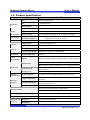
1.2. Product Specification ..............................................................................................18
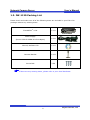
1.3. FW-1120 Packing List............................................................................................19
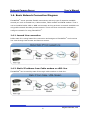
1.4. Basic Network Connection Diagram.......................................................................20
1.4.1. Leased Line connection ................................................................................20
1.4.2. Static IP address from Cable modem or xDSL line......................................20
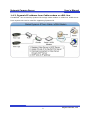
1.4.3. Dynamic IP address from Cable modem or xDSL line .................................21
1.5. Application ..............................................................................................................22
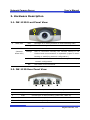
2. Hardware Description.......................................................................................................23
2.1. FW-1120 Front Panel View....................................................................................23
2.2. FW-1120 Rear Panel View.....................................................................................23
3. FW-1120 installation and basic configuration .................................................................24
3.1. Check points before system installation ................................................................24
3.2. Factory Default .......................................................................................................24
3.3. FW-1120 Hardware installation .............................................................................24
3.4. Network configuration ............................................................................................25
3.4.1. IP assignment through FlexWATCH Explorer .............................................25
4. FW-1120 Operation..........................................................................................................27
4.1. “Home” screen ........................................................................................................27
4.2. “Live View” menu ...................................................................................................27
4.2.1. Live View ......................................................................................................27
4.2.2. Camera Control Page Guide..........................................................................29
4.2.3. PTZ Control button description ....................................................................29
4.3. “Admin” menu .........................................................................................................30
Part II ...........................................................................................................................................31
Admin Menu of Web Page ...........................................................................................................31
5. Admin Menu ......................................................................................................................32
5.1. Accessing Admin Menu...........................................................................................32
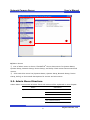
5.2. Admin Menu Structure ............................................................................................33
6. System Status Menu .........................................................................................................35
2
Seyeon Tech Co., Ltd