1
3. Installation
3.
15
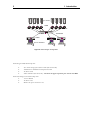
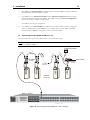
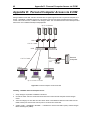
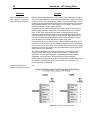
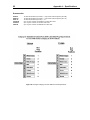
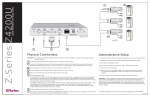
Connect an MX4 tiered user port to base UMT8.
· If using CIM UKVMC—Use a cascade cable (CCPnnE) and connect DB25 connector (female)
into one of the user ports designated to be the tier. Connect the cable’s other DB25 (male) into
the DB25 connector on the UKVMC.
· If using CIM UKVMP—Connect the UKVMP keyboard, monitor, and mouse cables into the
MX4 CCPnnF user cable
· Connect a Category 5e UTP cable between the CIM and one of the 4 channels reserved for MX4 on base
UMT8.
· Repeat above steps to connect remaining tier MX4 user ports to channels reserved on base UMT8.
4.
Channel configuration
·
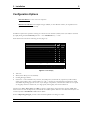
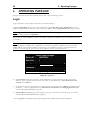
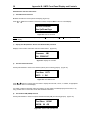
At a User Station Login Menu type “admin” in the user name field. Press <Enter>. In the
password field type “raritan” (all in lower case). Press <Enter>.
Note: If necessary, press Hot Key (default <ScrollLock> ) twice rapidly to bring up OSUI. Then
press <F9> to go to Login Menu.
· Press <F5> to activate Administration Menu.
· Use <á> and <â> keys to select Channel Configuration. Press <Enter>.
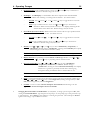
· Use <á> and <â>, or <PageUp>, and <PageDown> keys to go to channels where MX4
paths are connected.
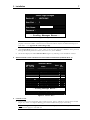
· Use <Tab> to go to Device Column.
· Press <Enter>, the highlight will turn green.
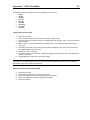
· Use <á> and <â> keys to set to MX4 (MX4-8, MX4-16, or MX4-32).
· Press <Enter> to save the change.
· Press <Shift/Tab> to go back to Name column. Press <Enter> Edit default name to a more
meaningful name.
· Press <Enter> to retain change.
· Repeat these channel configuration steps for each path. You must name all MX4 paths with the
same name. This will notify Paragon that these paths are connected to the same MX4.
· Press <S> to save the new configuration.
9.
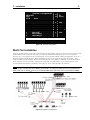
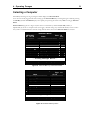
Press <F2> to go Selection Menu to validate that the second-tier MX4 is properly established. All
MX4 paths should be displayed in purple.
10.
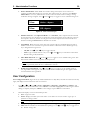
Press <F5> to go to Administration Menu. Select Channel Configuration submenu. Select a
channel that has been configured for MX4. Press <G> to bring up a Channel Configuration menu
for the MX4. Edit the computer names.
11.
Press <S> to save the new configuration.
12.
Press <F2> to go to Selection Menu to validate that second-tier MX4 is properly configured.
Select one MX4 channel, press <Enter> to go to MX4 selection menu. Select one MX4 channel and
press <Enter>. Verify proper access to selected computer.