1
7.4.2 Feedback
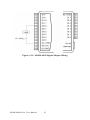
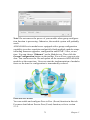
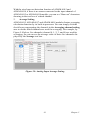
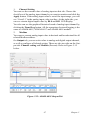
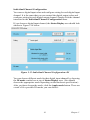
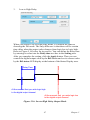
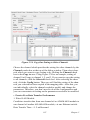
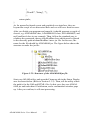
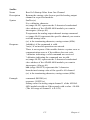
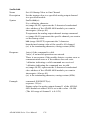
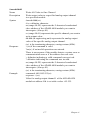
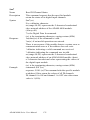
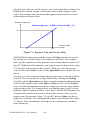
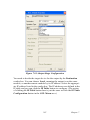
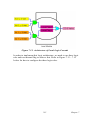
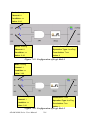
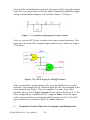
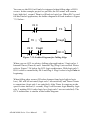
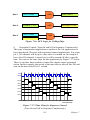
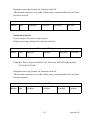
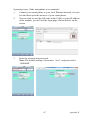
When you choose the same internal flag for the input condition and output of one single logic rule, the logic rule has logic feedback ability. Refer
to Figure 7.20 below. In this example, one input condition and one output
are dedicated to the same internal flag 0 (AuxFlag 0). So the output value
in current execution will become the input of the next execution. This
gives this logic rule feedback ability.
Figure 7.20: Building Logic Feedback
7.5 Download Logic and Online Monitoring
After you have completed all the configurations for GCL logic rule, click
the Download Project button in the GCL Menu area. All the configuration will be downloaded to the target device. Then you can click the Run
GCL button in the GCL Menu area to execute the project on the target
module. You can see the Current Status icon become the Running
mode.
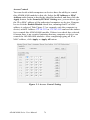
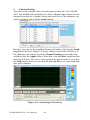
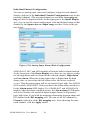
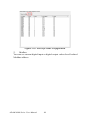
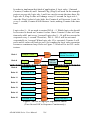
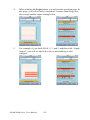
ADAM-6000 Module features special Online Monitoring function. In the
Running mode, you can click the Monitoring button in the GCL Menu
area to enable this function. Then you can see the execution situation on
the Individual Logic Rule Configuration area. The yellow dot appears
when the execution flow proceed to that stage. Besides, you can see the
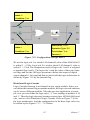
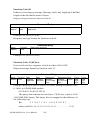
current input value besides the Input Condition icon. Refer to Figure
7.21 for the Online Monitoring function. In this example, you can see the
input condition DI 1 and DI 3 has been satisfied, so the yellow dot
appears next to the two Input Condition icons. And you can see the current input value showing at the top of the three Input Stage icons.
ADAM-6000 Series User Manual
220