1
2
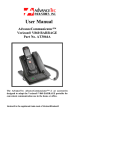
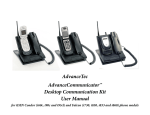
INDEX Page 2 2 3 3 3 ‐ 4 4 4 4 5 5 6 Details Features Important Phone Settings Setting up AdvanceCommunicator™ Installing phone into AdvanceCommunicator™ Making and receiving calls in Hands‐ free mode Making and receiving call via Handset Use of AdvanceCommunicator™ with dispatch calls Volume control Recording feature Summary of LED indicators Charging of the battery IMPORTANT PHONE SETTINGS The following phone settings are necessary to enable use of the phone with the AdvanceCommunicator: 1. Press > Settings > DC Settings > Direct Connect ON 2. Press > Settings > DC Settings > Headset Mode > Headset button starts DC calls. [DC button]. 3. Press > Settings > Others > Accessibility > TTY >TTY Off. 4. Increase or Decrease the volume must be done while phone is connected to the unit and is on an active call.