1
3
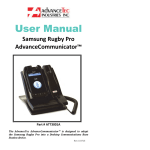
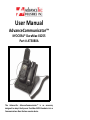
Setting up the AT3080A AdvanceCommunicator™ 1. Place the AdvanceCommunicator™ in a convenient
positionwithineasyreachofanACpoweroutlet.
2. Attachtheplugattheendofthecoilcordofthehandset
into the corresponding RJ45 handset receptacle on the
backoftheAdvanceCommunicator™.
3. Plug the power supply into the wall AC power outlet
andtheroundbarrelplugattheendofthecordofthe
powersupplyintothecorrespondingpowerreceptacle
onthebackoftheAdvanceCommunicator™
4. AtthispointtheLEDwillflashRED
InstallingtheportableintotheAdvanceCommunicator™
1. Removetherubberprotectivecoverfromtheconnector
receptaclecoveringthemicroUSBconnectorontheleft
side of the handset (handset facing you) and align the
micro USB connector at the end on the one cable from
thebackofthecradleandinserttheconnectorintothe
handsetwiththecablefacingDOWN.
2. Removetherubberprotectivecoverfromtheconnector
receptacle covering the audio connector on the right
side of the handset (handset facing you) and align the
pin connector at the end of the other cable from the
back of the cradle and insert the connector into the
handsetwiththecablefacingUP.
3. Insertthebottomofthehandsetbehindtheridgeonthe
cradle and press the top of the handset back into the
Cradleuntilitsnapsintoplace.
4. TurntheHandseton.
5. To remove the handset from the Cradle, press the
release button on the top of the cradle. The Handset
willsnapforwardoutofthecradle.