1
10.13 ITC DigiCenter Automation (cont)
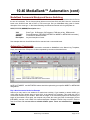
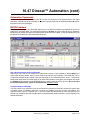
DigiCenter Commands
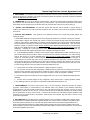
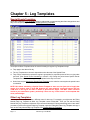
Automation Commands can be sent to the Digicenter (such as source switching) from the Natural Log
system. On the Natural Log Templates, simply enter & and then the command code letter/numbers in the
Event Name. NL8 will pick up the command or cut name to play by capturing all characters between & and
the first space in the event name.
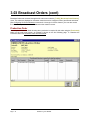
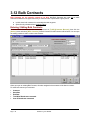
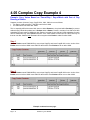
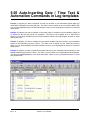
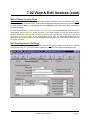
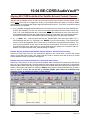
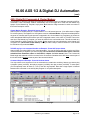
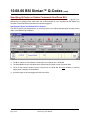
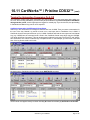
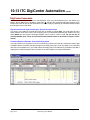
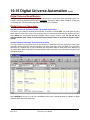
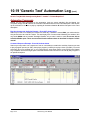
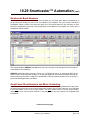
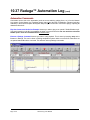
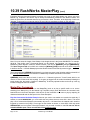
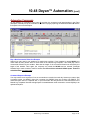
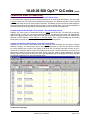
Play Non-Commercial Audio Cut Example - Event 0107 shown below
You need to run weather at a certain time each day. If weather is named 0023, you could make the entry
shown below at event 0107 below. This would play 2:30 of commercials followed by the weather. NL8 only
needs &0023 and we inserted "Overnight Weather" only to make it easier to read. Do not use this to
schedule billable spots. Those are scheduled from broadcast orders as described in chapter 3 of this
manual.
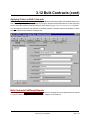
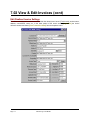
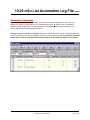
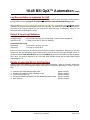
Command Sequence Example - Event 0109 shown below
You may need to run a sequence of cuts or commands at a certain time each day. Assume you want to play
a program opener (cut 2001), then play a program (cut 2002), then play a closer (cut 2003). You could enter
each item on a separate line, or you could make the following entry in the Natural Log Templates. Note that a
single space is inserted between each command or cut and 'Program' is an optional description.
Page 10-46
Natural Log User Manual