1
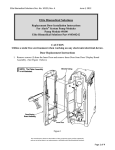
Drive Head
+
Gripper Control/
Drive Head
Release
(closed position)
9. Choose correct medication and
concentration.
Plunger Grippers
(closed position)
10. Respond to appropriate clinical
advisory.
11. Review monitoring alarm limits (if
applicable).
Barrel
Flange
Grippers
12. At “Infusion Mode” screen: To
Prime, press OPTIONS key.
2
oz
60
55
50
14. Press and hold PRIME key to
prime tubing.
45
1½
40
35
1
oz
30
25
20
15
10
5
Syringe
Barrel
Clamp
Syringe
Barrel
Flange
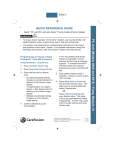
Programming an Infusion using
Guardrails™ Suite MX Protection
Initial Set-Up:
1.
WARNING:
•
Do not prime while attached to patient.
½
Alaris™ PCA Module v8
13. Press PRIME SET WITH
SYRINGE.
Load syringe with administration
set attached.
2. Press SYSTEM ON key.
15. Press EXIT when prime is
complete.
16. Choose desired Infusion Mode and
follow on-screen prompts.
17. Close and lock door.
18. Attach administration set tubing set
to patient.
19. Review settings and press START.
Change Syringe:
1.
Press PAUSE.
3. Select YES or NO to “New
Patient”.
2. Close tubing clamp.
4. Select appropriate profile.
4. Remove old syringe.
5. Press CHANNEL SELECT key.
5. Press SILENCE.
6. Set key to Program position.
6. Attach new syringe to tubing.
7.
7.
Press CONFIRM time setting.
8. Choose correct syringe type and
size. (if syringe selection is not
displayed press ALL SYRINGES)
3. Use key and unlock door.
Load new syringe.
8. Set key to Program position,close
door.
9. Press CHANNEL SELECT.