1
10
1. Installation and Powering Up
1.3 Installation of the Software „CamWare“
CamWare is a 32 Bit Windows application. With CamWare all
camera parameters can be set. The images can be displayed
on the monitor and saved on hard disk. For detailed information
please see the separate manual ‚CamWare’.
You will find the software CamWare on the enclosed CD. The
newest version can also be downloaded from the internet under
http://www.pco.de.
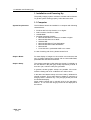
Installation from CD
In case the CD will not start automatically, please start it manually by double click starter.exe.
Please select your camera and the software ‘CamWare’:
Installation from Internet
Download CamWare from the Internet to a free selected directory. The downloaded file must be decompressed with a suitable program (e.g. ZIP program) Start the installation with
setup.exe.
The newest information how to install CamWare can be found
in the readme.txt file.
To install CamWare under Windows 2000, Windows NT or
Windows XP you need administration rights.
Remark
After successful installation the computer has to be restarted.
The installation program transfers all necessary DLL and OLE
files to the respective Windows, checking automatically for existing older versions and replacing them by new ones.
Windows’95 carries out all „registry“-entries.
If the program is to be deleted from the computer, a proper deinstallation is carried out in
START - SETUP - SYSTEM CONTROL - SOFTWARE
After successful installation you will have the new directory
‘Digital Camera Toolbox’. CamWare and some additional useful
tools will be installed to this directory.
Hotline
©PCO 2006
pixelfly
In case you have problems during installation, call our hotline
(see „Customer Service“).