1
What is the Actives tool and how do I use it?
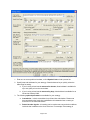
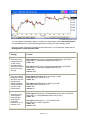
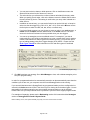
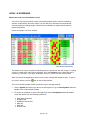
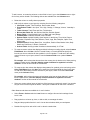
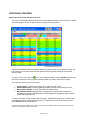
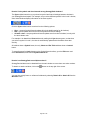
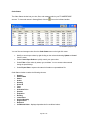
The Actives tool displays a streaming list of the top ten most active stocks and options. Click the
icon on the left-hand toolbar to access it.
For illustrative purposes only.
You can choose to view actives based on:
•
•
•
Exchange: LISTED, NASDAQ, OTCBB, OPTIONS, CALLS, and PUTS
Type: Number of Trades or Shares Traded
Interval: 1 minute, 5 minutes, 10 minutes, 30 minutes, 60 minutes, and All Day
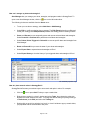
All the features of a Level I window are available in the Actives view. To modify the default column
layout for the Actives view (Actives.lil), select Set Layout As Default under the Columns menu.
The following columns are specific to the Actives view:
•
•
Activity: displays the number of trades or shares traded during the interval selected.
% of Total: calculates the percentage of the total activity for a symbol on the actives list.
What is the News window and how do I use it?
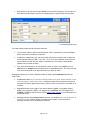
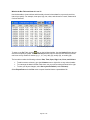
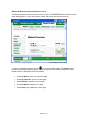
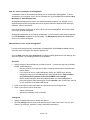
The News window displays streaming headlines as well as news history for the current day. You
can choose to view "hot" market news, or display headlines that match your symbol list.
Note: Access to Streaming News requires a subscription. Please log on at tdameritrade.com,
go to My Profile under Portfolio & Accounts, then select Subscriptions to subscribe to
Streaming News.
Page 39 of 49