1
RAW
Unfortunately there is no standard RAW format meaning that some variants may not be
opened by GraphicConverter. Each camera manufacturer uses its own RAW format that,
in some cases, differs from camera model to camera model. The colors in RAW images can
only be displayed correctly if you have the color curves of the camera manufacturers.
These color curves are not published by the manufacturers, however.
GraphicConverter therefore uses the color curves provided by the Mac OS X, which is
why it may display the colors slightly differently to the software supplied with the
camera. If the Mac OS does not support a RAW format, the curves from dcraw by Dave
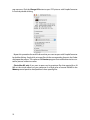
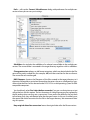
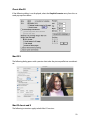
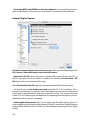
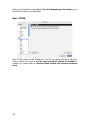
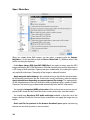
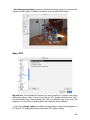
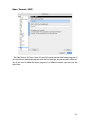
Coffin will be used. If you want to use dcraw exclusively, you can disable the Use toolbox
(10.4 or later) if possible option in the Preferences under Open / Formats / Photo RAW.
RAW files contain the raw, unprocessed data from the camera sensor. If you select JPG
format in your camera, the camera processor will apply the color curves and other techniques like automatic white balance to the image files and then save the data in a JPG
image file.
RAW format is recommended for professionals who want to perform manual white
balance and therefore take sample pictures of white or gray cards with the same exposure. You obtain slightly better results with RAW format even when you make exposure
corrections afterwards. RAW images mostly need some sharpening, but show fuller and
more natural colors. As the files are at least twice the size, we recommend RAW format
just for professional use.
Metadata in RAW files: RAW files except for NEF files may not contain any metadata
apart from the EXIF data. All other metadata (IPTC, Rating, Label, XMP) is therefore written
to a file with same name and the extension .xmp that is automatically copied and renamed by GraphicConverter like any THM file. Photoshop CS also uses this technology,
which is why RAW files with IPTC information in XMP files are fully compatible with Photoshop CS.
NEF files may also contain IPTC data. If you enter IPTC data for a NEF file, it will be written in the NEF file. NEF is Nikon’s RAW format.
The XMP file is only created if metadata apart from the EXIF is available. If, for example,
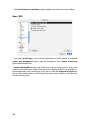
you add a rating in the browser using the context menu, an XMP file is created and displayed in the browser immediately. If you do not want these files to be displayed, add the
extension XMP to the list of extensions to be ignored in the Browser / Open with section
of the preferences. You can set this list to the default setting by clicking the Default button.
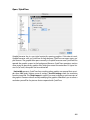
To speed up the display of RAW images in the browser, GraphicConverter creates THM
files containing previews for each image file. You can disable this option in the Preferences under Browser / Preview. Some cameras create the THM files automatically. The
THM files are not shown in the browser.
366