1
DENTAL CLAIMS BILLING INSTRUCTIONS
Note: Provider must maintain an Explanation of Benefits (EOB) on file for audit purposes.
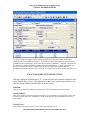
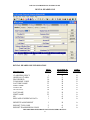
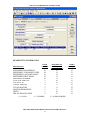
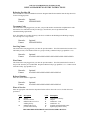
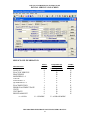
Carrier Name:
This field is auto-plugged by the system once the carrier code is entered and contains the name of the other
insurance company listed for the client.
Other Insurance Group Name:
Enter the name of the group that the other insurance is listed under and coincides with Group number.
Insurance Type Code:
Select the appropriate value from the drop-down box that identifies the type of insurance listed.
Relationship to Insured:
Select the appropriate value from the drop-down box that identifies the client’s relationship to the policyholder for the other insurance or Medicare listed. If the client is the policyholder, self will be listed.
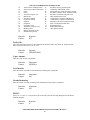
Last Name:
Enter the last name of the policyholder of the other insurance or Medicare.
First Name:
Enter the first name of the policyholder of the other insurance or Medicare.
ID Code:
Enter the policyholder’s identification number assigned by the other insurance company.
ID Qualifier:
Select the appropriate value from the drop-down box that identifies the ID that is being used.
Date of Birth:
Enter the date the policyholder was born.
Gender:
Select the appropriate value from the drop-down box that identifies the sex of the individual.
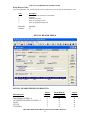
Policy Holder Address Line 1:
Enter the street address of the party being referenced. The address is required for providers, clients and
policyholders.
Line 2:
Enter additional address information of the party being referenced, such as suite or apartment number if
applicable.
City:
Enter the city of the party being referenced. The address is required for providers, clients and
policyholders.
State:
Enter the state of the address of the party being referenced. The address is required for providers, clients
and policyholders.
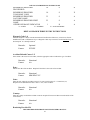
Zip Code:
HPE PROVIDER ELECTRONIC SOLUTIONS USER’S MANUAL
11