1
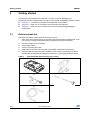
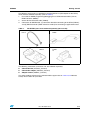
Getting started
2.2
UM0406
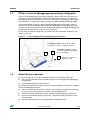
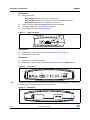
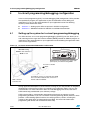
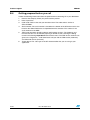
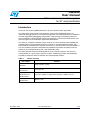
Quick setup for emulation configuration
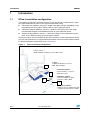
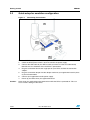
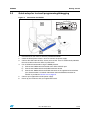
Figure 3.
Connection for emulation
1
4
2
5
3
6
Caution:
10/26
1.
Install STVD on your host PC from the provided CD-ROM.
2.
Check the STice power switch is off, then connect the power supply.
3.
Connect the USB cable to your STice and to your host PC. Your PC automatically
identifies the new hardware when the STice is powered on.
4.
Plug the connection flex into the target port on your STice and into the connection
adapter.
5.
Plug the connection adapter into the adapter socket on your application board in place
of your microcontroller.
6.
Connect your application board’s power supply.
7.
Power up your STice then your application board.
Never have your application board powered on while the STice is powered off. This can
cause serious damage to the STice.
Doc ID 13332 Rev 3