1
Product support
B.6
UM0406
Getting prepared before you call
Collect the following information about the product before contacting ST or your distributor:
22/26
1.
Name of the company where you purchased the product.
2.
Date of purchase.
3.
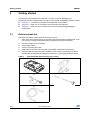
Order code: Refer to the side your emulator’s box. The order code is similar to
STice-SYS001.
4.
Serial number: The serial number is located on the bottom of the STice box and is also
listed on the Global Reference card provided with the emulator. This number is the
serial number for the MEB.
5.
TEB (target emulation board) hardware and firmware versions: The hardware and
firmware versions can be found by opening an STVD session, entering the debug
context and selecting Help>About from the main menu. The TEB version numbers are
given in the Target box – scroll downwards until you find the TEB version (hardware)
and TEB PLD version (firmware).
6.
Target device: The sales type of the ST microcontroller that you are using in your
application.
Doc ID 13332 Rev 3