1
Aquire OrgPublisher 10 User Guide
C:\Program Files\OrgPubX\Web - the sub-folder containing files required
to publish charts.
C:\Program Files\OrgPubX\XML - the sub-folder containing associated
files to create a chart using XML.
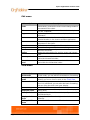
File Types
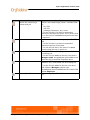
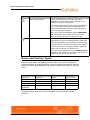
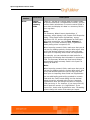
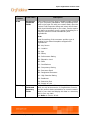
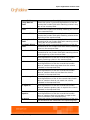
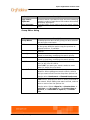
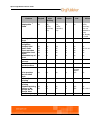
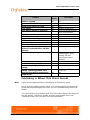
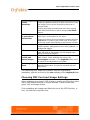
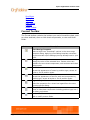
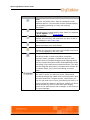
OrgPublisher potentially creates several types of files that contain
different information for your chart.
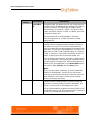
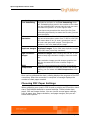
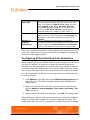
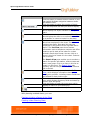
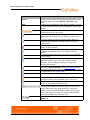
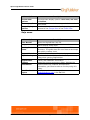
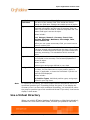
File
Extensions
OCP
OTM
HTM
OCB
ODB
DLL
OCS
BAT
OPW
ODBX
File Contents
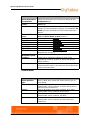
OrgPublisher published chart; if you are working with an
EChart, contains information to contact the EChart server.
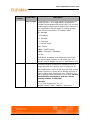
PluginX - Binary chart/template file combined.
Template formatting; OTM file is matched to the ODB or
OCB file to make the chart file.
Determines the browser type and invokes the PluginX. Also
applicable to EChart, both thin and rich client.
Chart data ASCII file; comma-delimited text file.
Database connection file.
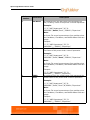
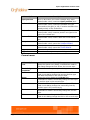
EChart file for both thin client and rich client; contains
ISAPI DLL; must be in the same web directory as EChart
OCP file.
EChart file for both thin and rich client security; contains
EChart data; must be in the same web directory as the
EChart OCP file.
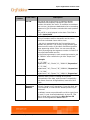
EChart file for both thin and rich client; batch file that can
be used for automated EChart publishing.
Web Administration file.
Multiple sources chart file.
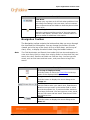
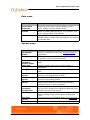
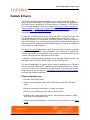
Online Knowledge Base
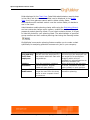
The Aquire web site (www.aquire.com) contains a vast collection of
tutorials and FAQs, as well as general information, concerning
OrgPublisher and other products.
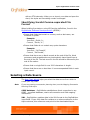
Click Support in the main menu and select Support Portal. From this
page, you can access support documents, how tos, and product FAQs, as
well as Automation, which gives you access to APIs and sample code if
48
Getting Started with OrgPublisher/The Basics