1
MED ASSOCIATES INC.
OPERANT LABORATORY PACKAGE
CHAPTER 4
Understanding the Data Files
Unless otherwise specified, data will be saved to C:\MED-PC IV\DATA. Data can be
saved manually by selecting FILE | SAVE DATA MANUALLY or FILE | SAVE DATA
(FLUSH). The file name that is used to save the data in depends on the option that was
chosen in the Hardware Configuration Utility and may also be dependent on the Subject,
Experiment, and Group name provided in the MED-PC IV load wizard. Within each data
file, the headings are created for each Subject, Experiment, Group, Box, etc., (see
below). Data files may be opened with note pad, word pad, or any word processor or
spreadsheet; however, be sure they are always saved “unformatted” in case a data
extraction utility such as MED-PC to Excel might ever be used. Data file formats are
explained in detail in the MED-PC IV User’s Manual.
Sample Data File
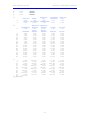
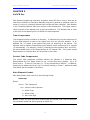
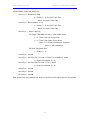
Select Annotated on the file options page during hardware installation to produce a raw
data file similar to the following. Data files are located in C:\MED-PC IV\Data\ unless an
alternate path was defined during hardware installation. They may be opened with note
pad, word pad, or any word processor; however, make sure they are always saved
unformatted in the occasion a data extraction utility such as MPC2XL is used. The
header information should be self-explanatory. Data-file formats are explained in detail
in the MED-PC IV User’s Manual.
Start Date: 12/12/08
End Date: 12/12/08
Subject: Subject_1
Experiment: Experiment_1
Group: Group_1
Box: 1
Start Time: 13:34:38
End Time: 13:40:12
MSN: FR
D:
0.000
Not Used
E:
0.000
Not Used
F:
17.000
Total Rewards
G:
0.000
Not Used
H:
0.000
Not Used
I:
56.000
Subscript for the IRT Array C
J:
90.000
Subscript for the Trial Array B
K:
0.000
Not Used
L:
0.000
Ratio Count
M:
0.000
Not Used
N:
0.000
Not Used
O:
0.000
Not Used
P:
0.000
Not Used
Q:
0.000
Not Used
R:
0.000
Not Used
S:
300.000
Elapsed Time in the Session
T:
1003.000
Elapsed Time in 0.01 second Increments for SoftCR Pro Data
U:
0.000
Not Used
V:
0.000
Not Used
W:
0.000
Not Used
- 17 -