1
Hardware User Manual - Argos2D - A10x
Pin No.
7
8
9
10
11
12
13
14
15
16
Signal Name
P_SW4_3V3
P_SW4_3V3
UART2.RXD
CAN1.RXD
UART2.TXD
CAN1.TXD
ECSPI2.SCLK
ECSPI2.MISO
ECSPI2.SS0
ECSPI2.MOSI
Last change: 9 April 2013
Version 1.1
Type
PWR
PWR
I 10k PU
I
O
O
O
I
O
O
Description
3.3V
3.3V
UART2 Receive Data
CAN Receive Data
UART2 Transmit Data
CAN Transmit Data
SPI CLK
SPI MISO
SPI Select0
SPI MOSI
Table 7.5: I/O extender connector j(X11)
7.2.11 RTC-battery holder k(G1)
There is also a possibility to add a 12mm coin cell to keep the RTC running. The Argos2D – A10x is delivered
only with a coin cell holder but without a battery.
7.2.12 Reset button l(S2)
The push buttons perform a reset.
7.2.13 Boot mode switch m(S1)
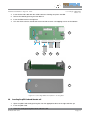
To set the right boot mode for the CM-i.MX53, only the switches 1, 2 and 3 are used.
Switch Setting
1 2 3 4
1 2 3 4
1 2 3 4
On
Off
Boot Description
Boot from SPI NOR flash
On
Off
Boot from SD card
On
Off
USB/UART boot mode
Some JTAG debuggers, like the PEEDI JTAG, short pins #1 and #2 (VREF and VSUPPLY) of the 20-pin ARM
JTAG header (X12). On the Argos®2D A100, these pins are connected to different voltages (2V8 vs. 3V3) and
must not be shortened. If your JTAG device/connector shorts pins #1 and #2, the following switch setting
must be done on Argos®2. It disconnects 3V3 from JTAG pin #2 (VSUPPLY).
Switch Setting
1 2 3 4
1 2 3 4
On
Off
On
Off
© Bluetechnix 2013
Description
Disconnect 3V3 from JTAG pin #2 (VSUPPLY)
Connect 3V3 to VSUPPLY
Page | 20