1
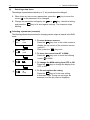
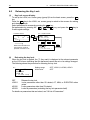
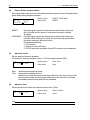
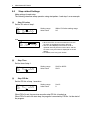
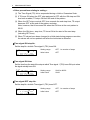
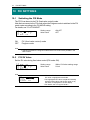
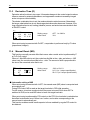
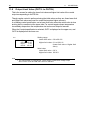
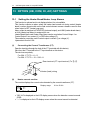
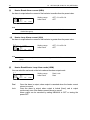
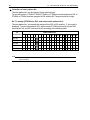
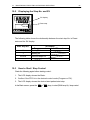
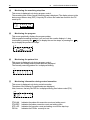
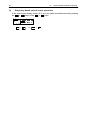
16 OPERATIONS DURING CONTROL 93 About auto tuning during fixed value control (FIX) During FIX control, the AT lamp blinks from the moment that AT is started. When AT ends, the AT lamp automatically goes out. 16-3 Switching Auto/Manual of Control Output Normally, automatic operation is performed. However, use this item to manually set control output, for example, during device testing. During manual output, note that the set value is continually output and feedback control is not performed. During manual output, the MAN monitor lamp and status monitor are displayed blinking. 1-1 AT : MAN: : C O M Setting range Initial value OFF OFF LOCAL OFF, ON OFF The manual execution conditions (common to front panel keys and external switch input) are as follows: (1) AT must not be in progress. (2) The FP23 must not be in a Reset (RST) state. (1) Manual output operations In a 1-output specification, the output value of OUT2 and the output bar graph are not displayed on the screen. 1-1 AT : MAN: C O M : OFF ON LOCAL 0-1 OUT1 30.0% OUT2 0.0% 0 50 100 0 50 100 1. In the setup screen (1-1), select MAN (manual) using the cursor, and select ON to register manual output. 2. Next, to perform control output manually, move to the basic screen (group 0) by the DISP key, and move to the output value display (0-1) screen by the SCRN key. At this time, make sure that the cursor ( ) is displayed at the top left of the LCD screen. 3. You can select OUT1 or OUT2 by the key, and adjust the output by the , or key. There is no need to register and fix settings by the ENT key.