1
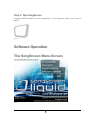
Congratulations on your purchase of SongScreen Liquid for Windows XP!
SongScreen is a complete software presentation package for the local church.
Not only will you be able to display songs with ease, you can also display scripture
verses, announcements, nursery numbers also AVI videos and WAV files all from
within one software package. SongScreen also works along side PowerPoint to provide
a complete presentation solution. SongScreen requires the use of a dual monitor system
on your display computer. This will allow you use one monitor for display and the
second as a control monitor. The VGA output from your output monitor can then be
sent to a TV monitor, LCD projector or rear projection system. SongScreen was
created as an alternative to traditional hymnals, making it possible to praise and worship
our Lord without the distraction of flipping, trying to find the next song. Now with the
added features such as Scriptures, Nursery numbers and Power Point interface churches
can move to computerized systems to aid in the presentation of songs for praise and
worship the scriptures and slide presentations to our church body and the un-reached.
It is the goal of Instant Access to provide you with the necessary tools for this purpose.
3