1
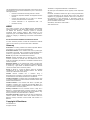
can be determined by turning the equipment on and off, the user is encouraged to try to correct the interference by one or more of the following measures; • Reorient or relocate the receiving antenna or device. • Increase the separation between the equipment and the receiver. • Connect the equipment into an outlet on a different circuit to which the receiver is connected. • Consult TrickleStar or an experienced radio / TV • technician for help. WEEE This product complies with the WEEE Directive (2002/96/EC) marking requirements. The affixed label indicates that you must not discard this electrical / electronic product in domestic household waste. Product Category: With reference to the equipment types in the WEEE Directive Annex 1, this product is classed as category 9 “Monitoring and Control Instrumentation product”. DO NOT DISPOSE IN DOMESTIC HOUSEHOLD WASTE. To return unwanted products, contact the manufacturers website shown on the product or your local sales office or distributor. Glossary Association: a ʻbindingʼ between the Remote Operation Buttons and a Device, i.e. On, Off, Dim Up, Dim Down etc. Association Initiator: is the interface with which a product gets Associated to Controller. This is typically the Operation Button of a product e.g. a light switch. Please refer to manual of product. Device: Any item that is Associated to the Controller Exclude: Devices Excluded from a Network using a Primary /Inclusion Controller is removed from the Network and can no longer be controlled by the Devices in the Network. Please refer to manual of product. Exclusion Initiator: is the interface with which a product gets Excluded from a network. This is typically the Operation Button of a product e.g a light switch or Exclusion Button on a Remote control etc. Please refer to manual of product. Group: A “Group” is a group of devices, which are controlled simultaneously by the Group Operation Buttons. The Remote controls up to 32 Devices in the Group. Include: Devices Included into a Network using a Primary/Inclusion Controller is inserted into the Network and can be there after be controlled by the Devices in the Network. Inclusion Controller: Controller within a SUC/SIS Network used to configure a Network. It contains network information about other devices within the Network. Inclusion Initiator: is the interface with which a product gets Included to a network. This is typically the Operation Button of a product e.g. a light switch or Inclusion Button on a Remote control etc. Please refer to manual of product. Primary Controller: The first Controller used to setup the a Network in a Primary/Secondary Controller network. It contains network information about other devices within the Network. Only Primary Controller can Include Devices to a Network. Secondary Controller: Additional Controller used in a Network. It contains network information about other devices within the Network. Primary Controllers cannot Include new Devices to a Network. Copyright & Disclaimer © TrickleStar Ltd. All rights reserved. TrickleStar is a registered trademark of TrickleStar Ltd. All other logos and trademarks are the property of their respective owners. Disclaimer: TrickleStar reserves the right to change specifications or designs described in this manual without notice and without obligation. Any typographical, clerical or other error or omission in this document or other documents or information issued by TrickleStar shall be subject to correction without any liability on the part of TrickleStar without notice. Save Money. Save Power. Saver Earth www.tricklestar.com