1
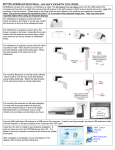
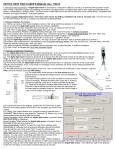
3.2.3. Verify the receivers' locations:
Note: Always hold the pen perpendicular to the screen surface to click.
3.2.4. Screen calibration: Follow and touch the center of each circles appeared on the screen to complete the calibration
process. Check the accuracy of touch. Recalibrate if necessary.
3.2.5. Fine setup: If “Fine setup” is selected, you will need to touch each X appeared on the top of the screen to complete
calibration process.
Once the Fine setup is completed successfully, screen calibration starts automatically. Click each circle as described in 3.2.4.
If you got “Failed” message, click [REINITIALIZE] and repeat this step till you get success message. If you fail to do fine setup
continuously, please check the hardware setup.
4. Options for ACEeBoard setup
4.1 Information TAB: Here you can choose your preferred language or update MINT software.
3