1
INTRODUCTION
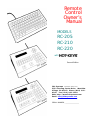
DigiCart offers three desk-top Remote Controls for a wide range of
operations. Each provides a small foot print while delivering access to
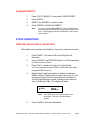
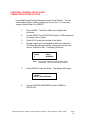
DigiCart's advanced features. Hot-Keys™ PRESETS allow instant onestroke playback of assigned Cuts or Stacks (Playlists). FIND operations
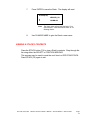
permit quick access to any Cut or Stack. MAKE- and VIEW PLAYLIST
bring convenient STACK operations to the RC-210/220.
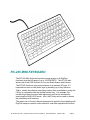
The RC-205 Mini-Keyboard connects to the Alpha Keyboard port on
DigiCart's rear panel. For RC-205, make sure the SETUP MENU —
KEYBOARD TYPE is selected to MINI.
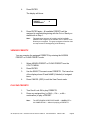
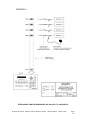
The RC-210/220 Remote Control models use the Serial Port 2 connector.
Use the SETUP MENU — REMOTE CONTROL to choose ADDRESS 01.
For all models, the Remote Control should be connected before powering
up the DigiCart. If the Remotes are connected after the DigiCart's power is
turned on, simultaneously press the SEC and FILE XFER (DNET XFER on
DigiCart/II Plus) buttons on the DigiCart's front panel. This will "soft boot"
the DigiCart and re-initialize the system.
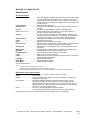
This manual includes information about all remote control models
designed to work with DigiCart and DigiCart/II. Please refer to the
section relating to your specific model.
System Requirements
•
DigiCart/I or DigiCart/II equipped with internal hard disk.
•
DigiCart Version 2.2 and above firmware.
DigiCart®/II and 360 Systems® are registered trademarks of 360 Systems.
Hot-Keys™ is a trademark of 360 Systems.
RC-205/210/220
Remote Control Owner's Manual
Second Edition
March 1997
Page 1