1
7. TROUBLESHOOTING
Oki Data CONFIDENTIAL
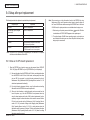
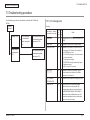
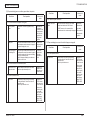
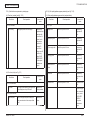
7.5.4.2 Print operation is not possible (C330dn/C530dn only)
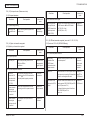
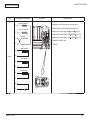
7.5.4.2.1 Check the OS (Operating System).
If print operation is not possible by using an encrypted IPP printer, check the followings.
The IPP print (encryption) function is available on Windows 2000, Windows XP, Windows
2003 Server and Windows Vista only.
Establish connection by https://<printer IP address>.
It is not available on other operating systems.
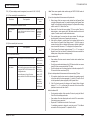
1) If the printer setting page is displayed, the followings are probable.
Take an appropriate measure by referring to the following sections.
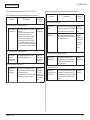
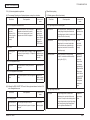
7.5.4.2.2 Has a printer been created?
* A certificate is not created yet (or creation of a certificate failed).
-> Refer to section “7.5.4.1.1 Has a certificate been created?”
* A certificate has been created but the SSL/TLS setting is set to OFF.
-> Refer to section “7.5.4.1.2 Is the SSL/TLS setting set to ON?”
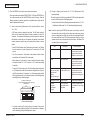
The printer may not have been created properly.
To use the IPP print (encryption) function, a printer must have been created by setting the
port as URL https://<printer IP address>/ipp.
For details of printer creation methods, refer to the User’s Manual (Advanced).
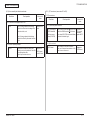
2) If the printer setting page is not displayed, the followings are probable.
Take an appropriate measure by referring to the following sections.
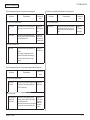
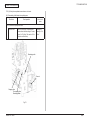
7.5.4.2.3 Is the IPP setting set to Enable?
* The version number of the browser is old.
-> Refer to section “7.5.4.1.3 Check the version number of the Web
browser.”
* Encryption strength is set to Strong.
-> Refer to section “7.5.4.1.4 Check the encryption strength of the printer.”
The IPP setting may not be set to Enable.
As the default setting of the printer, IPP has been set to Disable.
To use the IPP print function, the IPP setting must be set to Enable.
For how to change the IPP setting, refer to the User’s Manual (Advanced).
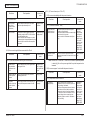
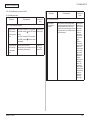
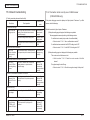
* The browser doesn’t support the key exchange method of the printer.
(Compatibility problem)
* The OS does not support IPP (encrypted) printing.
-> Refer to section “7.5.4.2.1 Check the OS (Operating System).”
* An IPP (encrypted) printer has not been created yet.
-> Refer to section “7.5.4.2.2 Has a printer been created?”
* IPP setup of the Printer is not Enabled.
-> Refer to section “7.5.4.2.3 Is the IPP setting set to Enable?”
44346001TH Rev.1
193 /