1
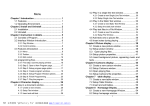
8.3 Open playing files .................... 57
Chapter 9 Database Display .................... 60
9.1 Create a new Database Window .......... 60
9.2 Setup database window ................. 60
9.3 Add Access Database ................... 62
9.3.1
9.3.2
9.3.3
9.3.4
Add Access database ........................................ 62
Add Access Datasheets .................................... 63
Edit Access Datasheets .................................. 65
Delete Access Datasheets .............................. 65
9.4 Add ODBC driver database .............. 66
Chapter 10 Date and Time ...................... 67
10.1 Create Date/Time window .............. 67
10.2 Setup date/time window ............... 68
10.3 Setup date and time .................. 69
Chapter 11 External Program ................... 71
11.1 Create a new window .................. 71
11.2 Setup external program window ........ 71
11.3 Open external program ................ 73
Chapter 12 Timer Display ...................... 75
12.1 Create a new window .................. 75
12.2 Setup the timer window ............... 75
12.3 Time Setting ......................... 76
Chapter 13 VCD/DVD display .................... 79
13.1 Direct playing ....................... 79
Chapter 14 Video Line-in Display .............. 81
14.1 Create a new window .................. 81
14.2 Setup Video Window ................... 82
Chapter 15 PowerPoint Display ................. 84
15.1 Play ................................. 84
15.2 Stop playing ......................... 85
3
Chapter 16 Notify display ..................... 86
16.1 Open “Notify Manager” Window ....... 86
16.2 Setup Notify Manager Window .......... 86
16.3 Play/Stop Notify Display ............. 87
Chapter 17 Score Manager ...................... 88
17.1 Open Score Manager Window ............ 88
17.2 Setup Score Manager Window ........... 89
17.3 Play/Stop Score ...................... 90
Chapter 18 Playing Schedule ................... 91
18.1 open the schedule table .............. 91
18.2 Add Scheduled Command ................ 91
18.2.1 Step1: Open “Scheduled Command” dialog box.
.......................................................................................... 92
18.2.2 Step 2: Setup Command list properties... 93
18.3 Edit Scheduled Command ............... 94
18.4 Delete Scheduled Command ............. 94
18.5 Start up Scheduled Command ........... 95
18.6 Exit ................................. 95
Chapter 19 Network control .................... 96
19.1 Setup remote control server .......... 96
19.2 Remote Screen Manager ................ 97
19.3 Remote control ....................... 98
19.4 Send Files ........................... 99
19.5 Send Program ........................ 100
Chapter 20 Background Playing ................ 101
20.1 Activate Background playing ......... 101
20.2 Cancel Background playing ........... 102
Chapter 21 Software setting .................. 106
21.1 Open software setup ................. 106
21.2 Play Window ......................... 107
4