1
Gill Instruments Ltd
_____________________________________________________________________________________________________________
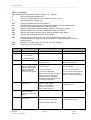
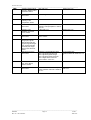
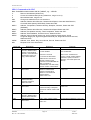
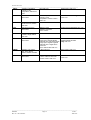
Contents
1.
2.
FOREWORD ............................................................................................4
INTRODUCTION......................................................................................4
2.1.
MaxiMet Parameters and Part Numbers ........................................................... 4
2.1.1
MaxiMet Order Part Numbers. ................................................................. 4
2.1.2
MaxiMet Sensors and Derived Parameters. ............................................. 5
Wind Speed and Direction Sensor (GMX200, GMX500, GMX501 and GMX600) ... 6
Radiation Shield (GMX301, GMX500, GMX501 and GMX600) .............................. 6
Barometric Pressure (GMX301, GMX500, GMX501 and GMX600) ........................ 7
Temperature, Relative Humidity and Dewpoint(GMX301, GMX500, GMX501 and
GMX600) ..................................................................................................................... 7
Rain (GMX600) ..................................................................................................... 7
Compass (GMX200, GMX500, GMX501 and GMX600) ......................................... 7
Compass Declination ............................................................................................ 7
Solar (GMX301, GMX501)..................................................................................... 8
GPS Option (GMX200, GMX500, GMX501, GMX600) ........................................... 8
Derived Parameters selectable using MetSet Software (see page 5 for applicability).
.................................................................................................................................... 8
2.2.
GMX Sensor Default ASCII Output Summary ................................................. 13
3.
4.
TECHNICAL SPECIFICATION ..............................................................15
PRE-INSTALLATION ............................................................................18
4.1.
Equipment supplied ........................................................................................ 18
4.2.
4.3.
Connector and Cable Assembly...................................................................... 18
Cabling ........................................................................................................... 21
Optional Extras:................................................................................................... 18
4.3.1
4.3.2
Cable type ............................................................................................. 21
Cable length .......................................................................................... 21
4.4.
Connections.................................................................................................... 22
4.5.
Power supplies ............................................................................................... 22
4.6.
4.7.
4.8.
4.9.
4.10.
Connecting to a PC using RS232 (Default setting).......................................... 23
Connecting to a PC using RS422 (Not a Default Setting)................................ 23
Using RS485 (2 wire point to point only), not a default setting. ....................... 24
Using SDI-12 (2 wire network) not a default setting......................................... 24
Set up requirements ....................................................................................... 25
View of the MaxiMet connector ............................................................................ 22
MaxiMet units ...................................................................................................... 22
Host System:....................................................................................................... 25
Software: ............................................................................................................. 25
Bench system test ............................................................................................... 25
4.11.
Packaging ....................................................................................................... 25
5.
INSTALLATION .....................................................................................26
5.1.
General Installation Guidelines ....................................................................... 26
Interference ......................................................................................................... 26
Wind ................................................................................................................... 26
Compass............................................................................................................. 27
GPS .................................................................................................................... 27
Solar ................................................................................................................... 27
General Alignment............................................................................................... 27
Dimensions (in mm) ............................................................................................ 29
6.
CONFIGURING WITH METSET ............................................................31
6.1.
6.2.
MaxiMet Default Configurations ...................................................................... 31
Configuring MaxiMet with MetSet.................................................................... 36
MetSet Editing Pages. ......................................................................................... 40
________________________________________________________________________________________________
MaxiMet
Page 2
Issue 2
Doc. No. 1957-PS-000x
June 2015