1
Gill Instruments Ltd
_____________________________________________________________________________________________________________
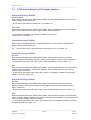
6.4.
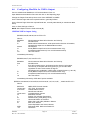
Configuring MaxiMet for SDI-12
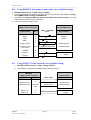
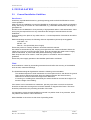
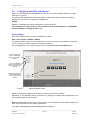
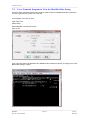
To configure a MaxiMet unit for SDI-12:
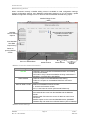
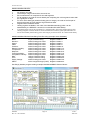
Connect a default set MaxiMet to a PC as described in Para 4.6.
Open MetSet as described on Para 6.2.
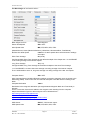
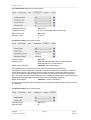
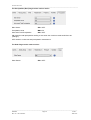
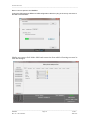
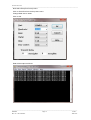
Click on the Edit Comms page and select:Set Protocol for SDI-12. and
Set Interface for SDI-12.
No other settings changes are required.
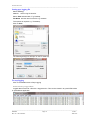
Click on Save Settings to Device on the Online Mode Menu.
Shut down the MaxiMet unit.
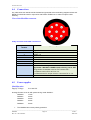
Change the hardware connections for SDI-12 (see Para 4.9).
Power up the MaxiMet unit (SDI-12 supply voltage 9.6v to 16v dc).
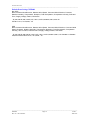
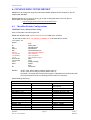
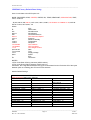
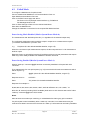
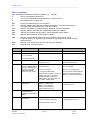
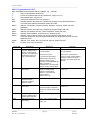
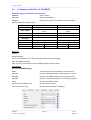
SDI-12 Units of Measure
NOTE
Not all the following outputs are available and will depend on the MaxiMet variant, see page
5, Para 2.1.2.
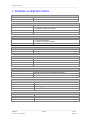
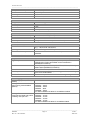
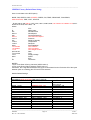
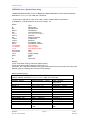
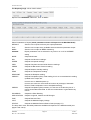
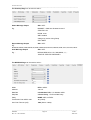
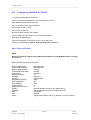
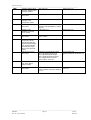
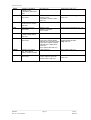
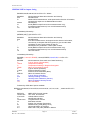
GMX Model SDI-12 Output Parameters.
Relative Wind Speed:
Corrected Wind Speed:
Relative Wind Direction:
Corrected Wind Direction:
Temperature:
Relative Humidity:
dewpoint:
pressure:
precipitation intensity:
total precipitation:
solar radiation:
sunshine hours:
height above sea level:
latitude:
longitude:
date:
time:
Status
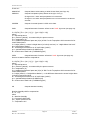
Metres/Second.
Metres/Second.
Degrees
Degrees
Degrees C
%
Degrees C
Hecto Pascals
mm/h
mm
W/m2
h
m
degrees (positive values are N, negative are S)
degrees (positive values are E, negative are W)
yyyymmdd
hhmmss
4 Digit Sensor Status code (e.g. 0000 for a no fault condition)
________________________________________________________________________________________________
MaxiMet
Page 51
Issue 2
Doc. No. 1957-PS-000x
June 2015