1
Gill Instruments Ltd
_____________________________________________________________________________________________________________
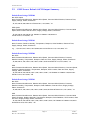
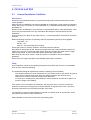
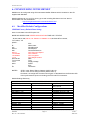
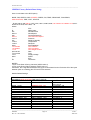
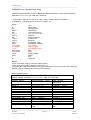
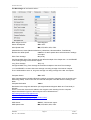
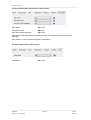
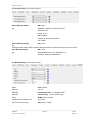
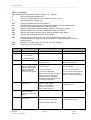
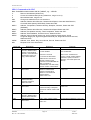
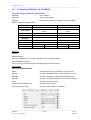
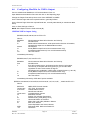
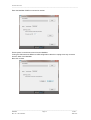
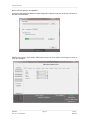
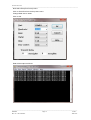
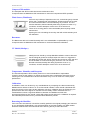
Select the COMMS Page
Protocol:
Default is Gill.
Select MODBUS
Interface:
Default is RS232.
Select RS232 or RS4852W.
RS232 will only allow a single point to point non multi drop network connection. RS485 2 wire will
allow networking with up to 32 connected devices.
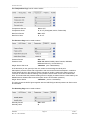
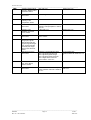
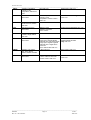
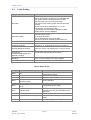
Baud Rate:
Default is 19200.
Select required Baud rate (9600 `
or 19200 supported).
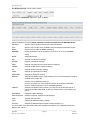
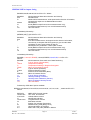
Node ID:
Default is Q.
Not used for MODBUS.
Output Rate:
Default is 1Hz.
Set update rate for MaxiMet Data
Message Mode:
Default is CONT.
Select POLL mode and MaxiMet
will only make and output a measurement (set by the output rate) on demand from the Modbus
Master. In CONTinuous mode the MaxiMet continuously makes measurements set by output rate
and only outputs a result when demanded from the Modbus Master.
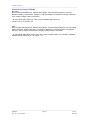
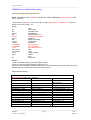
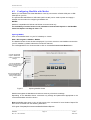
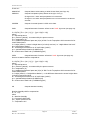
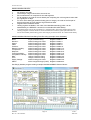
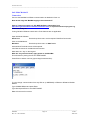
When required settings have been selected click on Save Settings to Device
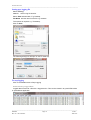
Click on Yes and OK.
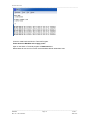
Power down the MaxiMet and apply power back to the MaxiMet to complete setting changes.
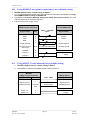
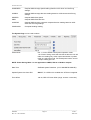
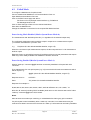
Note: now that the unit is in MODBUS mode if any further changes need to be made use the
SAFE MODE connection and method to re-establish communication with MetSet (See Para .
________________________________________________________________________________________________
MaxiMet
Page 57
Issue 2
Doc. No. 1957-PS-000x
June 2015