1
Register
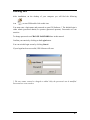
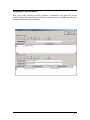
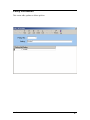
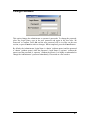
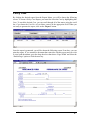
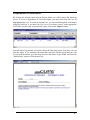
To register your program, you must first complete the registration form as shown below.
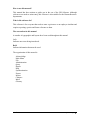
These fields must be completed.
Union Name
Local No
User Name
Workstation
Email Address
Use abbreviated form i.e. CUPE or CAW (HR enter Co. name)
Use numeric form i.e. 2544 (HR enter 1)
This should be the name of the person using GIS
Enter your computer name here (use a unique name).
This must be completed.
Once all of the data is entered, click the ‘Generate’ button and a number will appear in
the ‘Register No’ box. This number must be either emailed to
[email protected] or telephone, 647-439-6547 with the information.
Once 21st Century Technologies receives this Register Number, you will be given a Serial
Number that must be entered into the ‘Serial No’ field. When this is completed, you then
click on the ‘Register’ button. Your software will now be fully registered and with no
limitations. You can click the ‘Close’ button to exit this screen.
User’s Manual
HELP • 65