1
ION Enterprise Administrator’s Guide
Configuring the Log Inserter
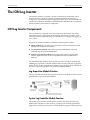
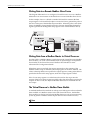
Controller’s output is connected to a Log Acquisition module for insertion into the
database.
Only system events with a priority greater than or equal to 192 get transferred into
the ION database. This “cutoff” is set to 192 by default.
External Boolean Module Function
Add External Boolean modules and link them to the enable inputs of the Log
Acquisition modules. This lets you enable or disable logging via a control object
within Vista.
Configuring the Log Inserter
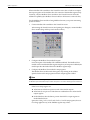
The Log Inserter controls the flow of data into the database; it initiates and controls
data collection and organizes data storage. You can configure the Log Inserter
yourself, or you can let the Log Inserter perform and maintain its configuration for
you. The Log Inserter’s Auto-Mode provides automatic configuration of all of the
required links between the database, and device log registers and system event
logs. When in Auto-Mode, the Log Inserter automatically reconfigures itself when
nodes or workstations are added or removed from your system. Auto-Mode is
recommended, provided your system does not include a large number of logging
devices.
You can manually configure the Log Inserter using ION software to create each
link between device recorders and the database. Manual configuration is required
if you have a very large system, or if you use multiple Log Inserters. Manual
configuration also provides increased control over logging functions.
Log Inserter Auto-Mode
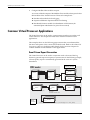
The Log Inserter service is configured for Auto-Mode by default when ION
Enterprise is installed. The first time the Log Inserter runs in Auto-Mode, it
automatically configures system event logging for you: links that exist between log
registers and Log Acquisition modules are ignored. All nodes and workstations in
your network are included in the Log Inserter’s configuration.
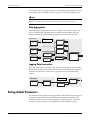
The Log Inserter continually monitors the network. When new devices are added
to your system, the Log Inserter recognizes the new log registers. These log
registers are automatically read and uploaded for insertion into the database. As
long as the Log Inserter remains in Auto-Mode, all system event logs are written
to the database. If you restart the Log Inserter without the –a switch (see
“Activating or deactivating Log Inserter’s Auto-Mode”), all System Log controller
Chapter 2 - ION Enterprise Nodes
Page 19