1
Optimizing System Performance
ION Enterprise Administrator’s Guide
Optimizing System Performance
The performance of a Virtual Processor depends on many factors: overall number of
ION modules in your Virtual Processor, the execution of ION software or other
applications, and the values of the global parameters. You can significantly enhance
your system performance by following these steps:
Reduce the number of Virtual Processors operating concurrently on the same
workstation
Reduce the number of ION software or other Windows applications running
simultaneously on the same workstation
Reduce the number of complex ION modules used (for example, the Arithmetic,
Data Recorder, and Scheduler modules)
Modify the global parameters
By reducing the number of active Virtual Processors and applications, you free up
some of your workstation's resources. Using fewer ION modules increases the
processing speed of the Virtual Processor as it has fewer calculations to make.
Global parameter modifications change your system performance, as discussed in
the following sections.
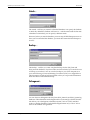
Module Update Period
Frequent module updates contribute to the workstation's processor load. By
increasing the Module Update Period, you effectively reduce the number of times
a module executes in a given time period.
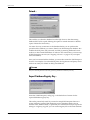
Configuration Saver Period
The Virtual Processor's configuration file is saved to the workstation's hard disk at
the rate defined by the Configuration Saver Period. Increasing the Configuration
Saver Period significantly reduces the processor load if you have a large Virtual
Processor configuration file.
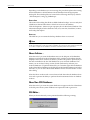
Client Polling Frequency
This global parameter sets the frequency at which the Virtual Processor gets
information from other nodes in the network (for example, another Virtual
Processor, or a device). A value of LOW is suitable for most Virtual Processor
applications. If you require more frequent update (for example, distributed
control applications), set this parameter to either MED (this is the frequency at
which Log Inserter polls) or HIGH (Vista).
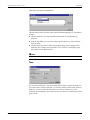
Server Polling Period
The Server Polling Period defines how often the Virtual Processor responds to
requests for information from client nodes such as Vista or the Log Inserter.
Reducing this value increases the rate at which these responses are sent; however,
reducing this value tends to increase network traffic. The default value should be
satisfactory for most applications.
Page 38
Chapter 2 - ION Enterprise Nodes