Download Operation Manual
Transcript
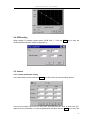
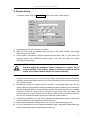
Coagulation Analyzer User’s Manual The state of each channel is shown on the channel button; “Add sample” means that this channel is not used, “Sample warming… ” means the channel is preheating the sample, “testing…” means the channel is acting for reading. In preheating, the channel shows the time count down. Click the channel button to change the status of the channel. Generate the sample number automatically: when these four channels are testing the same tests, the system will generate sample number automatically by step, when these four channels are testing different tests, the system will generate the same sample number. In other cases, the sample number should be input manually. The user can change the sample number generated by the system automatically according to their needs. Note! Only when the user enable the sample number auto-generating function in the system, can the system generate the sample number automatically. 6.3 Adding the reagent When the preheat time has only 5 seconds left, the system will notice the user by sound, until the reactive reagent is added and the channel enter the status of “ testing”, then the sound will stop. When the preheating is finished, the channel will notice you that “Finish warming”. And the currently channel to be added with the reagent will notice you that “Add reagent”; the user can change the current channel by clicking the other channel. When adding the reagent into the current channel, remember to click the button of this channel at the same time. (The operation in detail refers to the appendix). Note! Adding the reagent should according to the criteria operation, so as not to generate gas bubbles, and the action should be consistent. In order to confirm the test result is exact, please confirm that the action of button clicking and the action of adding the reactive reagent should be at the same time. 25