1
NextOffice
Chapter 8 NextOffice HTML Editor
Contents
HTML Tag
Background
graphics
<body
background>
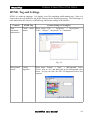
Format Settings in NextOffice
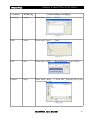
Select menu “Format” →
“Page” → “Background”,
select “Graphic” next to “As”
and then click on “Browse” to
pick up background graphics
file.
Fig. 8-10
Color
hyperlink
of <body
link/vlink>
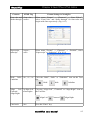
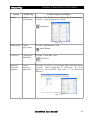
Select menu “Format” → “Styles and Formatting” to pop-up
“Styles and Formatting” dialog box. Click the “Character
Styles” icon, and then select “Internet Link” or “Visited
Internet Link”. Right-click and choose “Modify”.
Fig. 8-11
Font type and <font face>,
size
<font size>
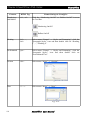
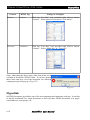
Select menu “Format” → “Character” → “Font”, select
“Font” and “Size” for font type and size respectively.
Fig. 8-12
8-4
NextOffice User Manual